I Part I - An AngularJS application
- explain story of this Part I
1. Why? How? What?
- explain the why, how and what of Part I
1.1 How this book is built
- Content at github
- Built using travis
1.1.1 How to report an issue
- show GitHub flow to submit issues
1.1.2 How to fix an problem
- for example a typo
1.2 Maturity Models Project
This is the project that I created when asked to do a full BSIMM mapping for a large UK Organization
Having done a number of these mappings before …prob is scalability … which is why I needed to build a tool
- add links to BSIMM docs and mappings
- add pics of using it
1.3 Maturity Models source code
- add links to the multiple repos
- instructions on how to run it locally
- or on Docker
1.4 Start with tests
- Key requirement for development
- I don’t really like how in most books Testing is a 2nd (or 3rd) class citizen
- My objective on this book is to always show test test first
- I found that when you read a test first (i.e. before the code), you build a mental model of what the ‘real’ code should be doing (and it helps in understanding it)
- There is a full section on Testing and the techniques I use
- Every developer tests their code, the only question is if they are ephemeral 1 (i.e don’t last) and repeatable
- Tests are documentation and should be a source of truth for how the app works
- Print tests on paper and review them
1.4.1 Managers need to write tests
- Since they have the technical ability to do so (and it is a waste of their skills if they only ‘manage’)
1.4.2 Abusing the (unit) Test concept
For me the ‘unit’ is whatever being tests
My definition is if it can be executed with {link to Unit Test Frameworks at Wikipedia}, then is an Unit Test.
I’ve started to use “(unit) Test” has a way to refer to Unit Tests (as a way to indicate that the ‘unit’ is different)
1.5 The power of Simple
- Code needs to be simple
- nothing to add, nothing to remove
- refactoring until removing loses context and adds complexity
- Simple doesn’t mean lack of ‘things’
- Microsoft made this mistake all the time
- One button apps can be really complex, and multiple-buttons app can be really simple
- the key is the Design of the experience (from coding, to testing, to usage)
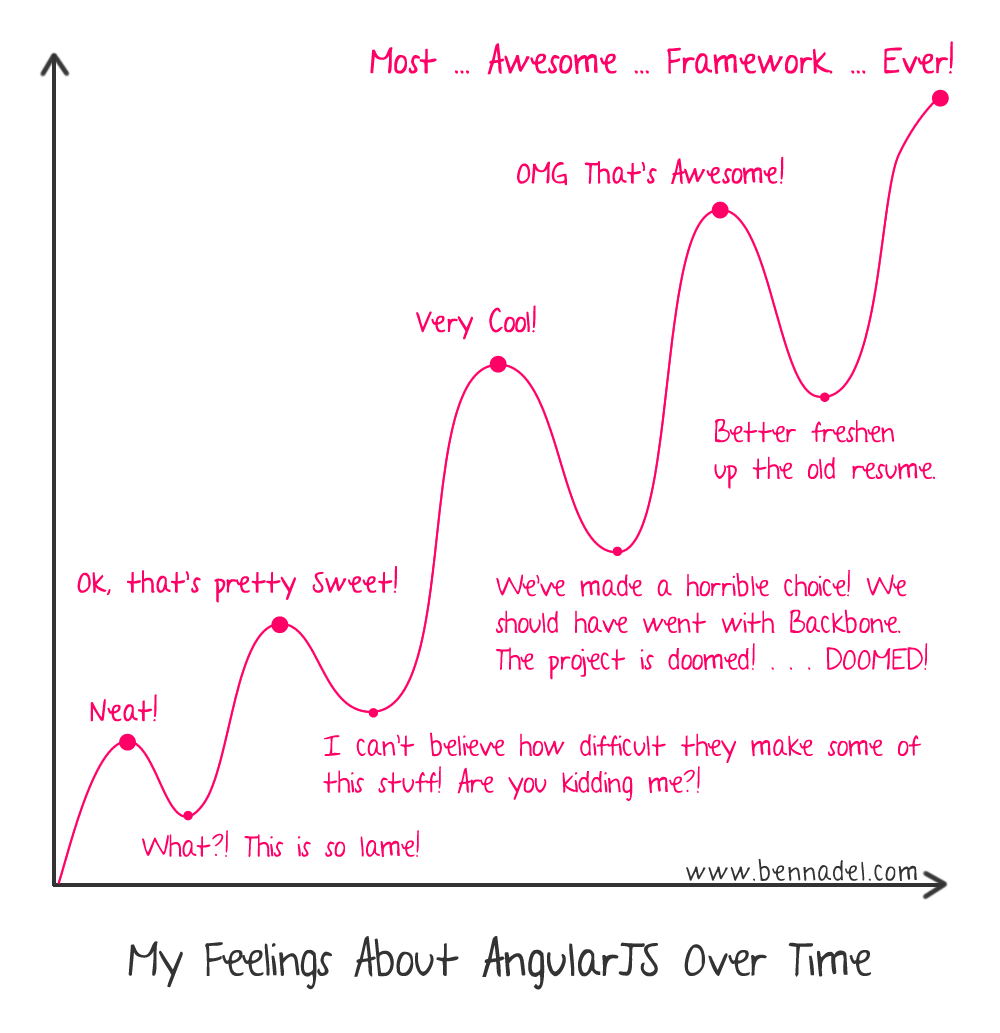
1.6 I really like Angular 1.x
- not the most popular statement at the moment (June 2016)
- Angular 1.5.6 is really mature and has all the key components I need
- Alternatives bring more complexity (and yes power, but I’m not felling the need for that power)
1.7 My Application Security Background
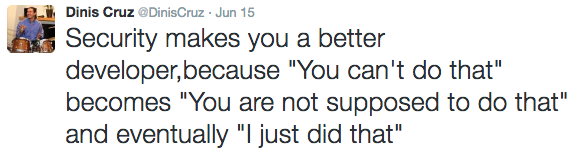
Although I have been a developer since the ZXSpectrum days (and Amiga, x86, x286, x486,….) my 10 year focus on AppSec makes me look at code differently
1.8 Price of this book
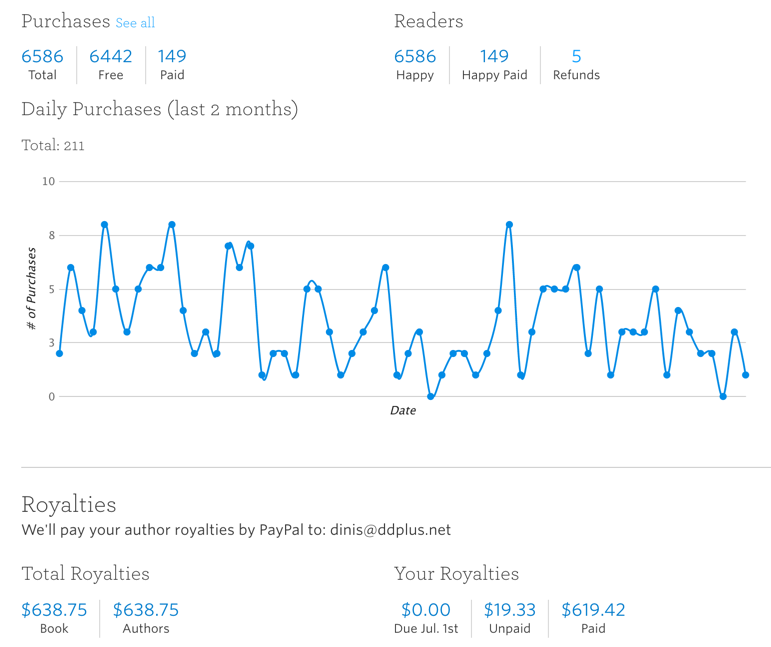
This book has 6586 people who went through the checkout process at Leanpub, of those 6k users, only 149 of them paid for the book.
This was possible because I allowed the price of the book to be zero. Since the book was (and still isn’t) complete, I was not comfortable demanding that the book had to be paid. Note that the first version of the book was mainly made of content from my own blog. I was not able to update it regularly, which means that the book is still not ‘officially’ done/released.
I also like the idea that knowledge should be shared, and if there is somebody out that wan’t the info but is not able to afford it, that person should have access to i.
Another way of looking at this, is that I have been able to start publishing a book on a topic I am interested in, find potential readers, and get paid (a bit) while the book is being created (which btw, is more than most self-publishing authors)
The reality is that this experiment allowed me to really understand how to write and publish books (namely gaining the confidence to do it)
An interesting angle, is that it is better to have 6k potential buyers (that have shown interest in the book), than 500 buyers (who will not buy the book again). As it stands I have a direct connection to the readers who are interested in AngularJS and like what I’m trying to do with this book.
For reference, as of 17 June 2016, this book had 6586 readers, with 149 paid readers and $638.75 royalty (note that Leanpub only takes about 20% of the price paid)
1.8.1 Adding paid version which included Printed book
I really like printed books (they are a better technology to read books), so I recently added an experiment to also sell them on the Leanpub website.

At the moment I will send the book directly to the buyer, which will need revising if there are too many buyers (this would be a nice problem to have)
1.8.2 Moving to only paid version
The new release of the book will include a website will all the content (in an better design/format then the website provided by Leanpub). All content is available for free at GitHub and I’m also exploring the idea to publish the released pdf into GitHub as releases.
When this is in place, I’m thinking (for this book) to move away from the minimum zero price range, and maybe set it to $10, $20 or even $30 (nice thing of Leanpub is that I can experiment with it)
1.8.3 Not much feedback from readers
One area that I would like to see more is feedback from readers. I do try to make it easier to provide such feedback (comments on Leanpub website, GitHub issues, direct email), but so far it has not worked very well.
2. Maturity Models
This is the application that is being used on this Part I
2.1 Data repositories
- explain how they work
- why there were created
- option to support confidential data (not pushed into main public Maturity-Models repo)
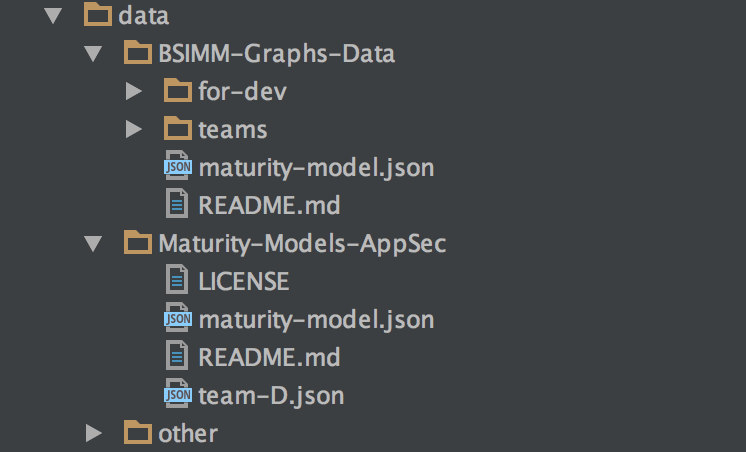
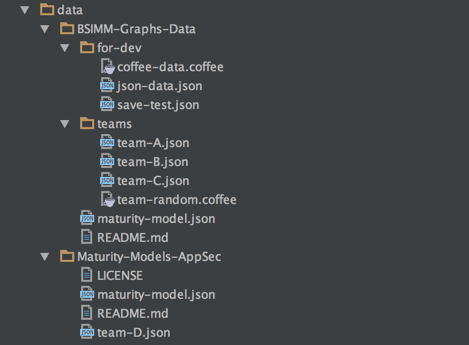
2.1.1 Current structure of Data repositories
- BSIMM-Graphs-Data
- Maturity-Models-AppSec
- Other
- special folder
2.2 Tests - API
These are the apis used by the tests (i.e. this is an Test API). The idea is to wrap way the app is accessed from the tests, so that they (the tests) don’t need to worry about how to execute the request (i.e. they just handle the answer)
At the moment there are 2 ways to access the application
- Http - Using direct http requests (the bare-to-the-metal approach). This approach is good for speed. Works really well for API calls and pages that don’t need ‘angular state’ (for example testing page components)
- JsDom - Using node’s jsdom which creates a simulated DOM that is actually able to invoke Angular’s digest. This has the advantage that we have all the power of Node’s apis when analyzing the Angular objects. Good for tests that need to have an Angular Digest working
- Browser - Using Chrome (i.e. Electron, where the full site is accessed and invoked. This has the advantage that we are testing the real app with all dependencies enabled. Good for looking down the user experience and confirming that latest changes (or refactoring) has not modified the user experience
2.3 Tests - QA - Browser
2.3.1 Browser-API.coffee
This is the API that allows access Chrome
2.4 Tests - QA - Http
2.4.1 Http_API.coffee
This is the API that allows access via direct http requests, and has the following methods: GET, $GET, GET_Json, server_Url
 1 cheerio    = require 'cheerio'
 2 Travis_API = require './Travis-API'
 3
 4 class Http_API
 5
 6   constructor: ->
 7     @.travis_API = new Travis_API()
 8
 9   GET: (path, callback)=>
10     full_Url = @.travis_API.server_Url() + path
11     full_Url.GET callback
12
13   $GET: (path, callback)=>
14     @.GET path, (data)=>
15       callback cheerio.load data
16
17   GET_Json: (path, callback)=>
18     full_Url = @.travis_API.server_Url() + path
19     full_Url.json_GET callback
20
21   server_Url: ()=>
22     @.travis_API.server_Url()
23
24 module.exports = Http_API
2.5 Tests - QA - JsDom
2.5.1 JsDom_API.coffee
This is the API that allows access via JsDom, and has the following methods: $app, $http, $scope, open, server_Url, wait_No_Http_Requests
 1 Travis_API  = require './Travis-API'
 2 jsdom       = require('jsdom')
 3
 4 class JsDom_API
 5
 6   constructor: ->
 7     @.travis_API = new Travis_API()
 8     @.$          = null
 9     @.document   = null
10     @.window     = null
11     @.http       = null
12     @.on_Created = null
13     @.on_Load    = null
14
15   $app: ()=>
16     element = @.window.document.querySelector('.ng-scope')
17     @.window.angular.element(element)
18
19   $http: ()=>
20     @.$app().injector().get('$http')
21
22   $scope: ()=>
23     @.$app().scope()
24
25   open: (path, callback)=>
26     if typeof(path) is 'function'
27       callback = path
28       path     = ''
29     if not path.starts_With('/')
30       path = '/' + path
31
32     url = @.server_Url() + path
33     config =
34       url: url
35       features :
36         FetchExternalResources  : ["script"]
37         ProcessExternalResources: ["script"]
38         SkipExternalResources   : true
39       created: ()=> @.on_Created?()
40       onload : ()=> @.on_Load?()
41       done   : (err, window)=>
42         throw err if err
43         @.window = window
44         @.$      = window.$
45         callback @.$, @.window
46
47     jsdom.env config
48
49   server_Url: ->
50     @.travis_API.server_Url()
51
52   wait_No_Http_Requests: (next)=>
53     if @.$http().pendingRequests.length > 0
54       5.wait =>
55         @.wait_No_Http_Requests(next)
56     else
57       next()
58
59 module.exports = JsDom_API
2.6 UI - Server-side
- explain how initially there was a ‘pug based’ server-side rendering of HTML
2.7 Maturity Models - Features
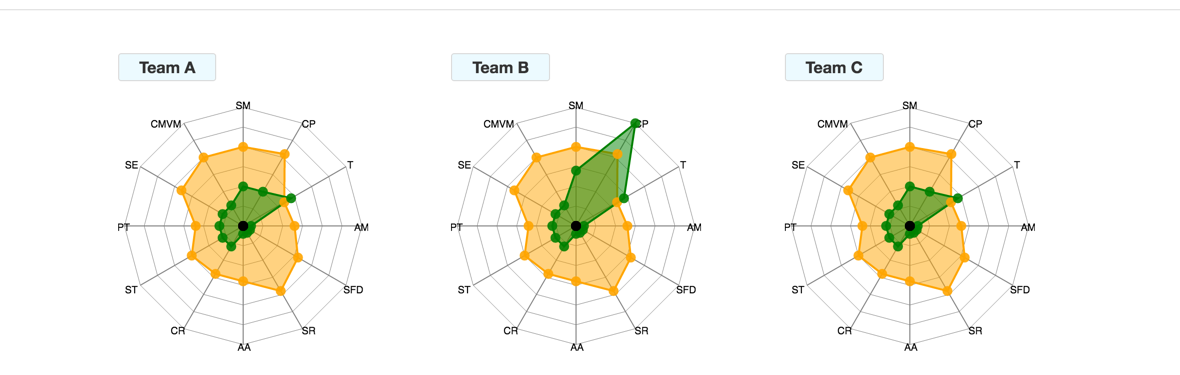
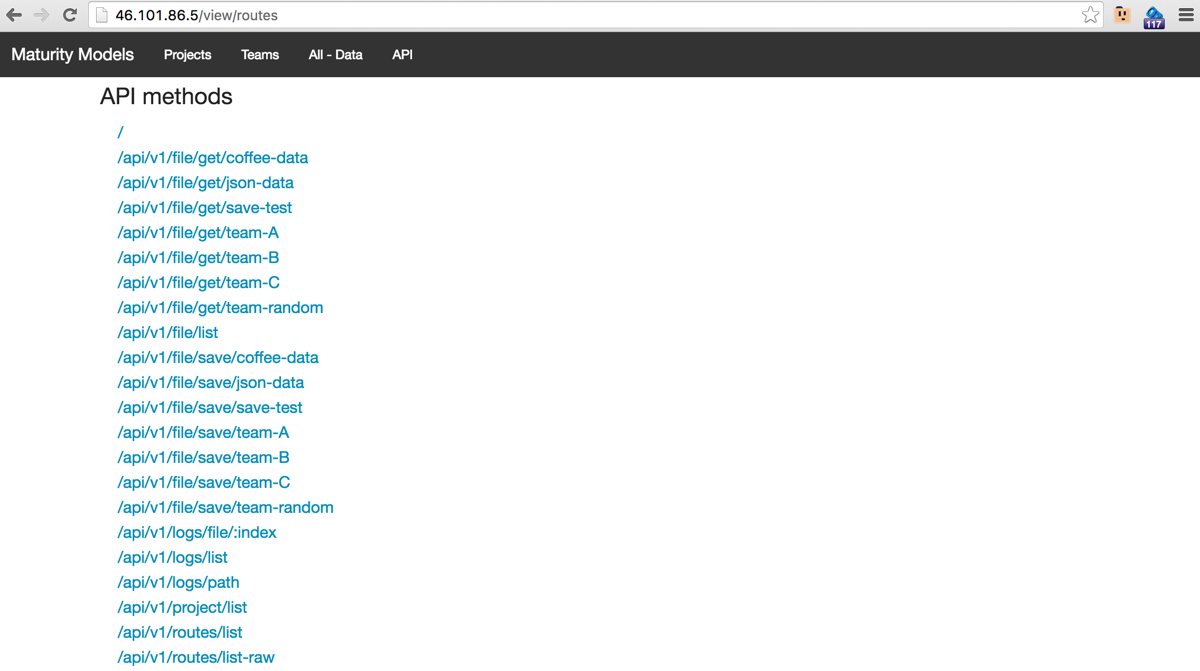
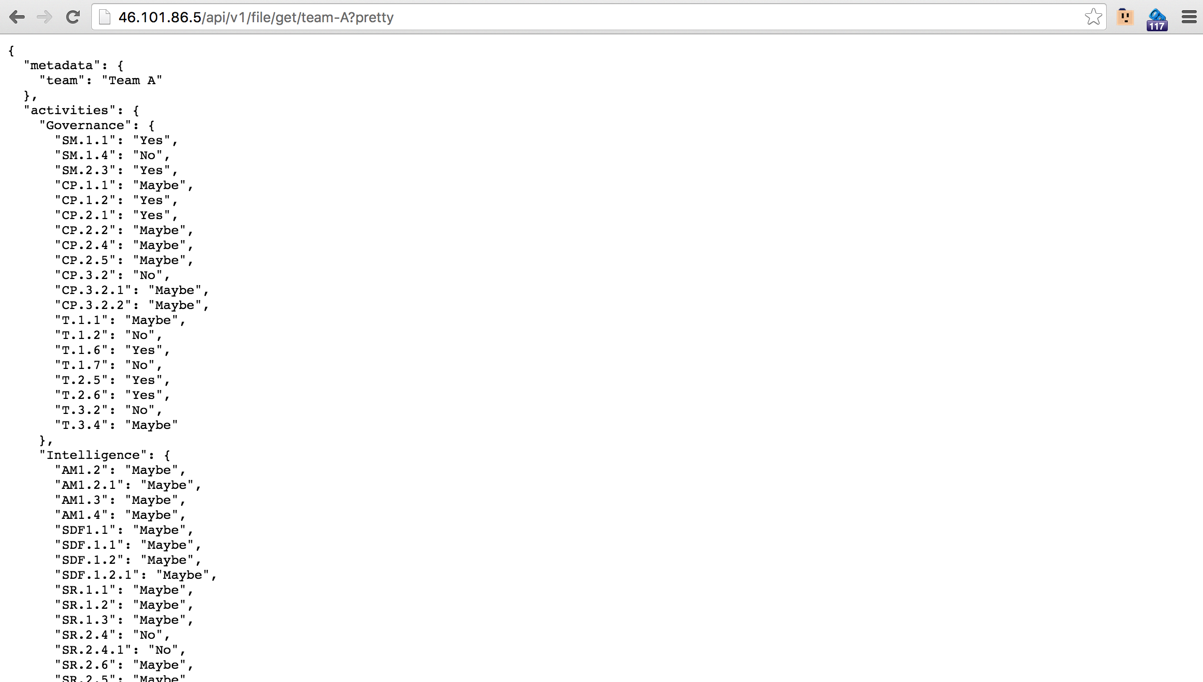
Here are the current feature set of the application
Home page

Projects

Teams
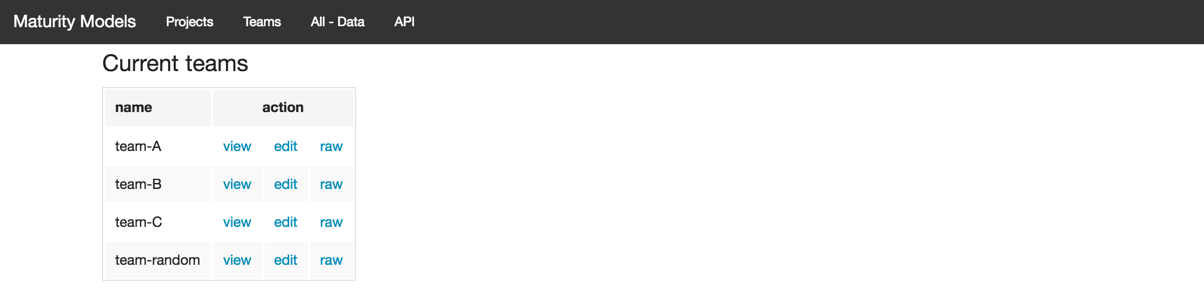
Team A - View
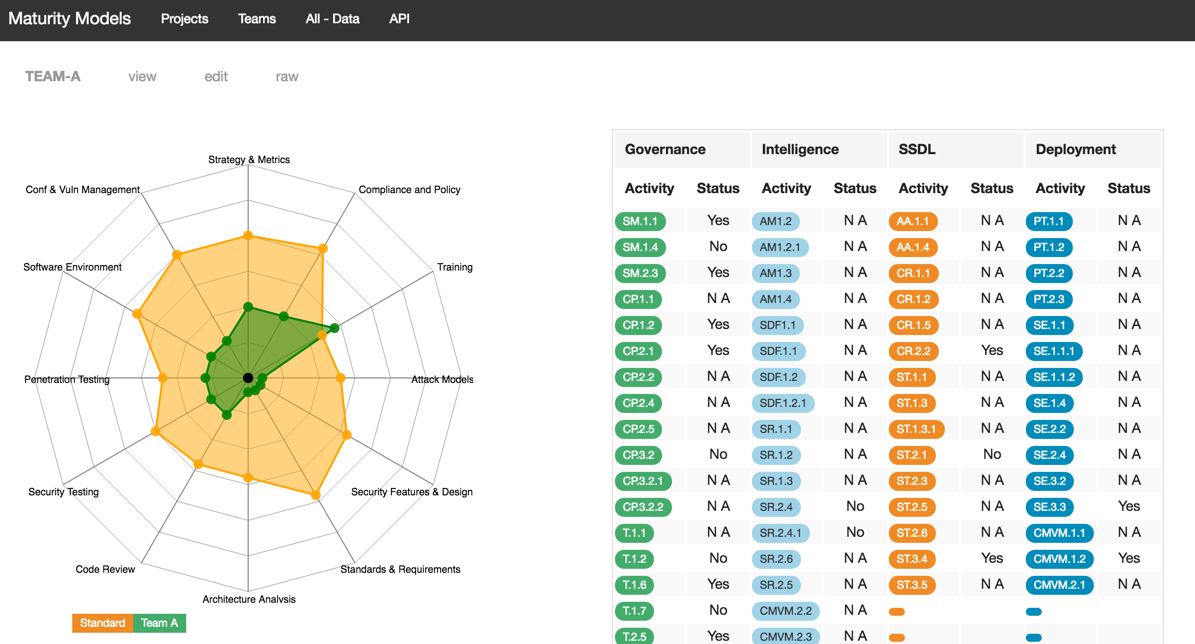
Team A - Edit
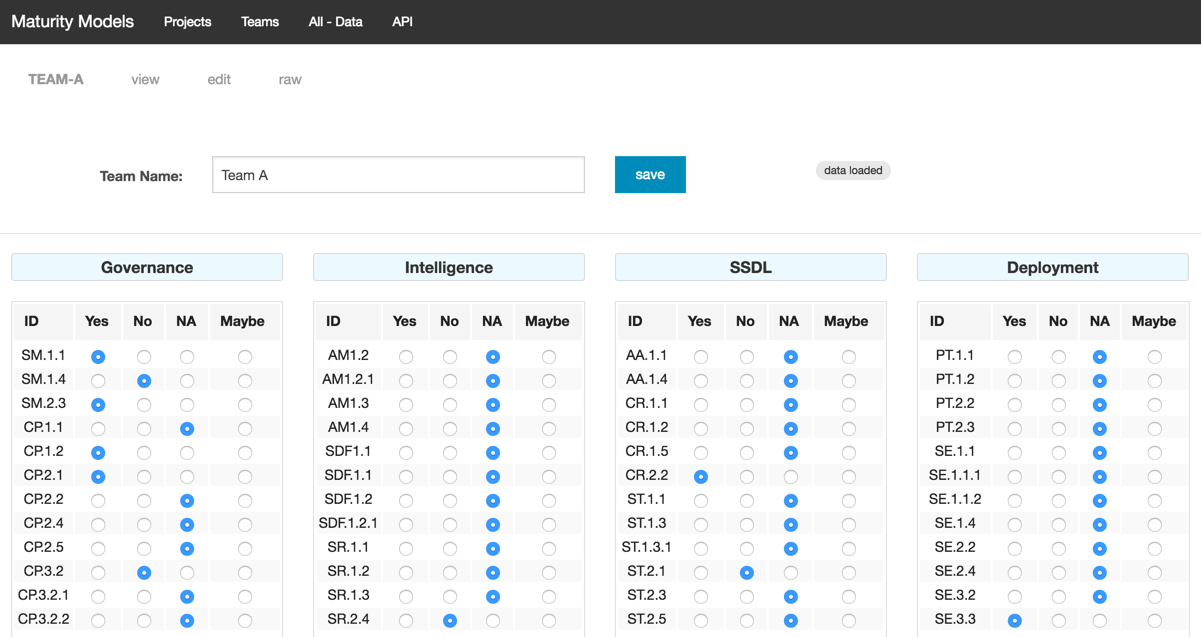
Team A - Raw
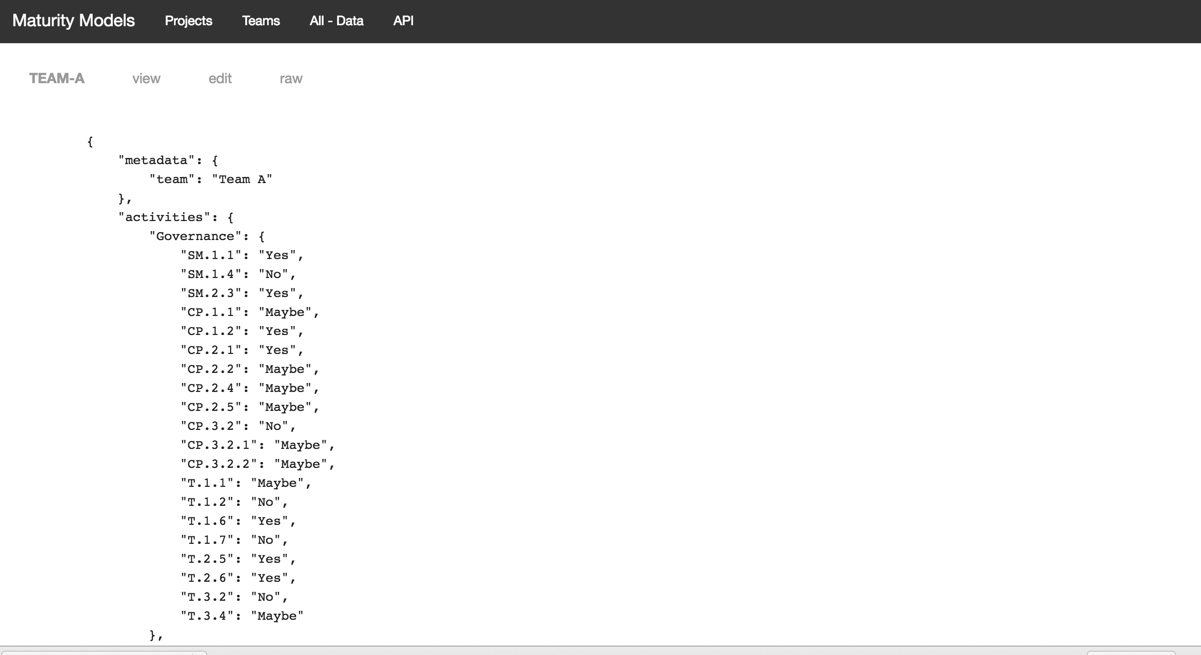
All Data
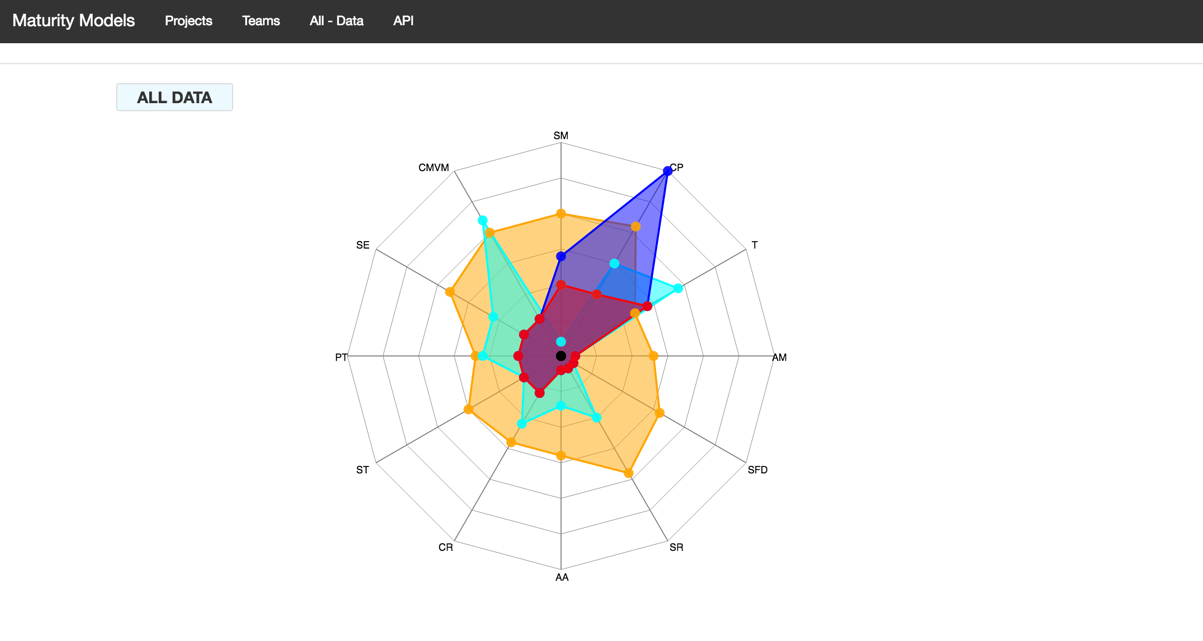
API
API - /file/get/team-A

API - /file/get/team-A?pretty
API - routes/list-raw

API - routes/list

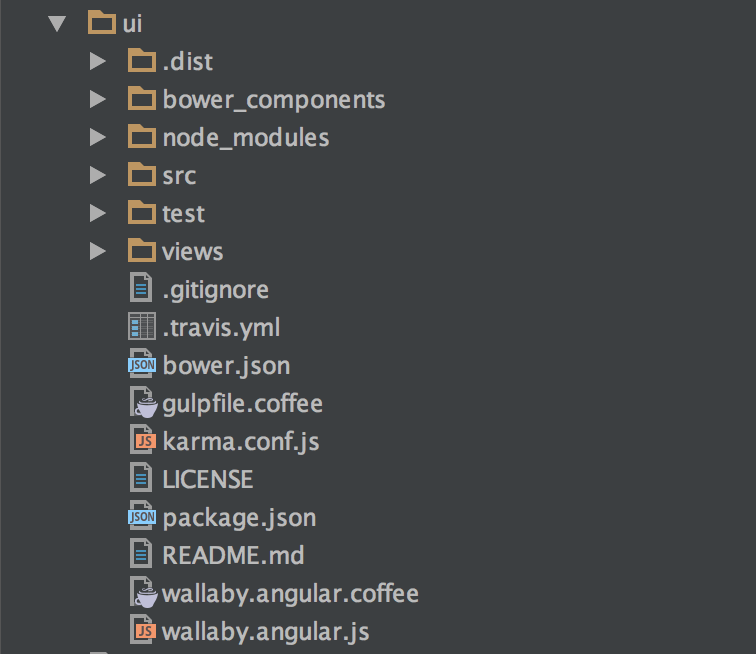
2.8 App structure
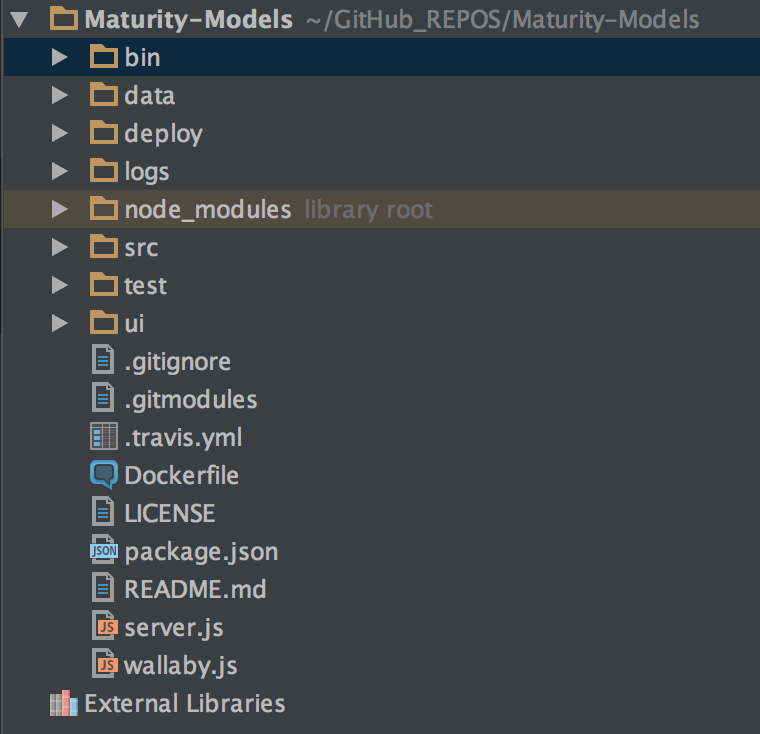
This is the current App structure
API
UI
Data
QA
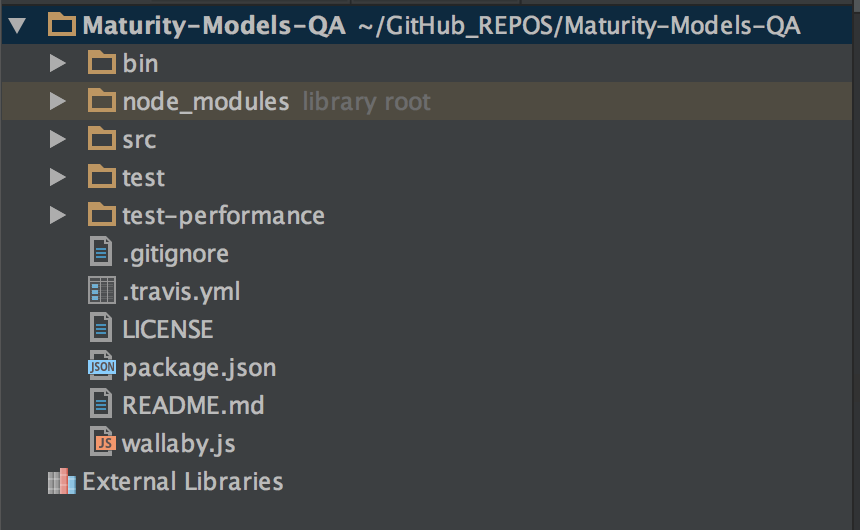
2.9 Code - QA
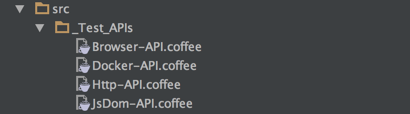
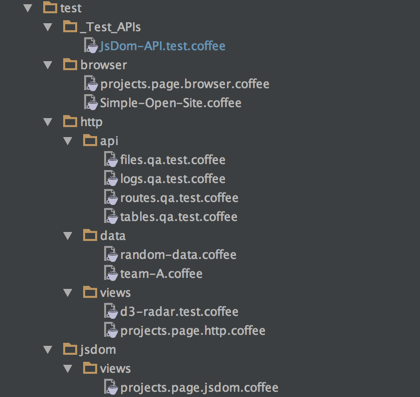
This is the site with the QA tests.
These are tests designed to be executed on a live version of the site , either at localhost (while dev), or pre-prod (current using DigitalOcean)
Browser automation is done using Electrium
/
/src
/test
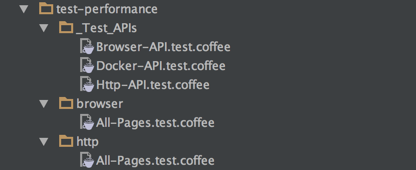
/test-performance
.travis.yml
Need to add display so that the browser automation works ok
1 language: node_js
2
3 node_js:
4   - "5"
5
6 before_script:
7   - "export DISPLAY=:99.0"
8   - "sh -e /etc/init.d/xvfb start"
9 #  - sleep 3
package.json
 1 {
 2   "name": "bsimm-graphs-qa",
 3   "version": "0.0.1",
 4   "description": "",
 5   "main": "index.js",
 6   "scripts": {
 7     "test": "mocha --compilers coffee:coffee-script/register -- recursive test"
 8   },
 9   "author": "Dinis Cruz",
10   "license": "ISC",
11   "dependencies": {
12     "cheerio": "^0.20.0",
13     "electrium": "0.0.7",
14     "fluentnode": "^0.6.1",
15     "mocha": "^2.5.2"
16   },
17   "devDependencies": {
18     "async": "^1.5.2",
19     "jsdom": "^9.2.1"
20   }
21 }
wallaby.js
This is the only wallaby file that I don’t execute all tests at the same time (with browser/network automation it is very easy to create long running and performance intensive tests)
 1 module.exports = function ( ) {
 2     return {
 3         files: [
 4             { pattern: 'src/**/*.coffee'}
 5         ],
 6
 7         tests: [
 8             //'test/**/*.coffee'
 9             'test/jsdom/**/*.coffee'
10             //'test/http/**/*.coffee'
11         ],
12
13         testFramework: 'mocha',
14
15         env: {
16             type: 'node'
17         },
18         workers: {
19             recycle: true
20         }
21     };
22 };
2.10 Code - UI - Angular
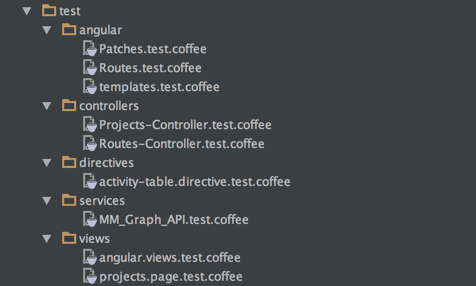
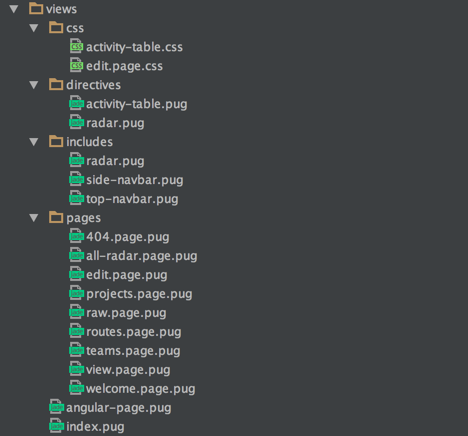
This is the submodule probject that contains the AngularJS based UI
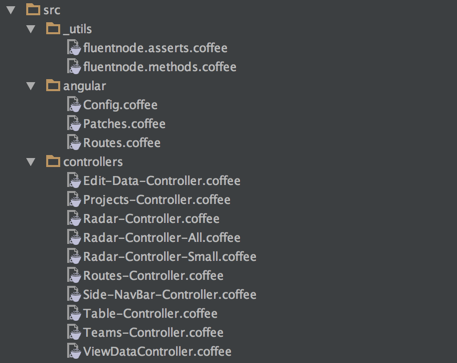
There are no server side generate pages
/
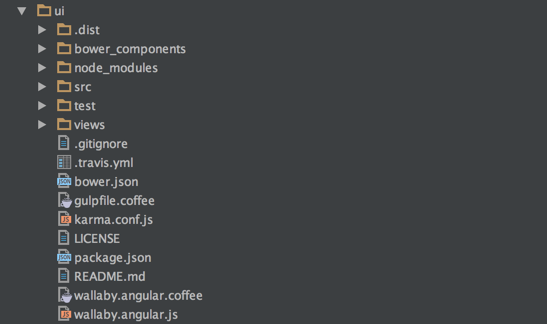
/src
/test
/views
.travis.yml
 1 language: node_js
 2
 3 node_js:
 4   - "5"
 5
 6 before_script:
 7
 8   - npm install -g bower
 9   - bower install
10   - npm install -g gulp
11   - gulp
12   - ls -la
bower.json
 1 {
 2   "name": "maturity-models-ui",
 3   "description": "Maturity Models UI",
 4   "main": "index.js",
 5   "authors": [
 6     "Dinis Cruz"
 7   ],
 8   "license": "ISC",
 9   "homepage": "https://github.com/DinisCruz/Maturity-Models-UI",
10   "moduleType": [],
11   "dependencies": {
12     "d3": "~3.5.16",
13     "radar-chart-d3": "~1.2.1",
14     "foundation": "^5.5.3",
15     "angular": "^1.5.6",
16     "angular-mocks": "^1.5.6",
17     "chai": "^3.5.0",
18     "angular-route": "^1.5.6"
19   }
20 }
gulpfile.coffee
 1 gulp          = require 'gulp'
 2 coffee        = require 'gulp-coffee'
 3 concat        = require 'gulp-concat'
 4 pug           = require 'gulp-pug'
 5 plumber       = require 'gulp-plumber'
 6 templateCache = require('gulp-angular-templatecache');
 7
 8
 9 source_Files  = './src/**/*.coffee'
10 pug_Files     = './views/**/*.pug'
11 css_Files     = './views/css/**/*.css'
12
13 html_Folder   = './.dist/html'
14 js_Folder     = './.dist/js'
15 css_Folder    = './.dist/css'
16
17 gulp.task 'compile-pug', ()->
18   gulp.src pug_Files
19       .pipe plumber()
20       .pipe pug()
21       .pipe gulp.dest html_Folder
22
23 gulp.task 'compile-coffee', ()->
24   gulp.src(source_Files)
25       .pipe plumber()
26       .pipe coffee {bare: true}
27       .pipe concat js_Folder + '/angular-src.js'
28       .pipe gulp.dest '.'
29
30 gulp.task 'templateCache', ['compile-pug'], ()->
31   gulp.src html_Folder + '/**/*.html'
32       .pipe templateCache( module: 'MM_Graph' )
33       .pipe gulp.dest js_Folder
34
35 gulp.task 'concat-css', ()->
36   gulp.src(css_Files)
37       .pipe concat css_Folder + '/app.css'
38       .pipe gulp.dest '.'
39
40 gulp.task 'watch', ['compile-coffee', 'compile-pug', 'templateCache', 'concat-css'], ()->
41   gulp.watch source_Files, ['compile-coffee']
42   gulp.watch pug_Files   , ['compile-pug', 'templateCache']
43   gulp.watch css_Files   , ['concat-css']
44
45 gulp.task 'default', ['compile-coffee','compile-pug', 'templateCache', 'concat-css'], ()->
karma.config.js
 1 module.exports = function(config) {
 2     config.set({
 3         basePath: '',
 4         frameworks: ['mocha'],
 5
 6         files: [
 7             'bower_components/angular/angular.js',
 8             'bower_components/angular-route/angular-route.js',
 9             'bower_components/angular-mocks/angular-mocks.js',
10             'bower_components/jquery/dist/jquery.min.js',
11             'node_modules/chai/chai.js',
12
13             '.dist/js/angular-src.js',
14             '.dist/js/templates.js',
15
16             'test/**/*.coffee'
17         ],
18         exclude       : [ ],
19         preprocessors : {
20             'test/**/*.coffee': ['coffee'],
21         },
22         reporters     : ['progress'],
23         port          : 9876,
24         colors        : true,
25         logLevel      : config.LOG_INFO,
26         autoWatch     : true,
27         browsers      : ['PhantomJS'],
28         singleRun     : true
29     })
30 };
package.json
 1 {
 2   "name": "maturity-models-ui",
 3   "version": "0.0.1",
 4   "description": "AngularJs UI for Node application to help managing Maturity Models",
 5   "main": "index.js",
 6   "directories": {
 7     "test": "test"
 8   },
 9   "scripts": {
10     "test": "node_modules/.bin/karma start karma.conf.js"
11   },
12   "repository": {
13     "type": "git",
14     "url": "git+https://github.com/DinisCruz/Maturity-Models-UI.git"
15   },
16   "author": "DinisCruz",
17   "license": "ISC",
18   "bugs": {
19     "url": "https://github.com/DinisCruz/Maturity-Models-UI/issues"
20   },
21   "homepage": "https://github.com/DinisCruz/Maturity-Models-UI#readme",
22   "devDependencies": {
23     "chai": "^3.5.0",
24     "coffee-script": "^1.10.0",
25     "gulp": "^3.9.1",
26     "gulp-angular-templatecache": "^1.8.0",
27     "gulp-coffee": "^2.3.2",
28     "gulp-plumber": "^1.1.0",
29     "gulp-pug": "^3.0.3",
30     "karma": "^0.13.22",
31     "karma-coffee-preprocessor": "^1.0.0",
32     "karma-mocha": "^1.0.1",
33     "karma-phantomjs-launcher": "^1.0.0",
34     "mocha": "^2.5.3",
35     "phantomjs": "^2.1.7",
36     "phantomjs-prebuilt": "^2.1.7",
37     "supertest": "^1.2.0"
38   }
39 }
wallaby.coffee
 1 module.exports = (wallaby)->
 2   #console.log wallaby
 3
 4   just_Load = (file)->
 5     return { pattern: file, instrument: false, load: true, ignore: false }
 6   config =
 7     files : [
 8       just_Load 'bower_components/angular/angular.js'
 9       just_Load 'bower_components/angular-route/angular-route.js'
10       just_Load 'bower_components/angular-mocks/angular-mocks.js'
11
12       just_Load 'bower_components/jquery/dist/jquery.min.js'
13
14       # weird bug where chai will load from node_modules but not from bower_components
15       #{pattern: 'bower_components/chai/chai.js', instrument: true},
16       just_Load  'node_modules/chai/chai.js'
17
18       './src/**/*.coffee'
19       './.dist/js/templates.js'
20
21     ]
22     tests : [
23       './test/**/*.coffee'
24     ]
25
26     bootstrap:  ()->
27       window.expect = chai.expect;
28
29   testFramework: 'mocha'
30
31   return config
wallaby.js
1 require('coffee-script/register')
2
3 module.exports = require('./wallaby.angular.coffee')
2.11 Code - Web Services - API
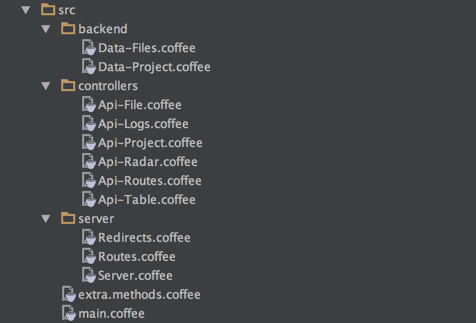
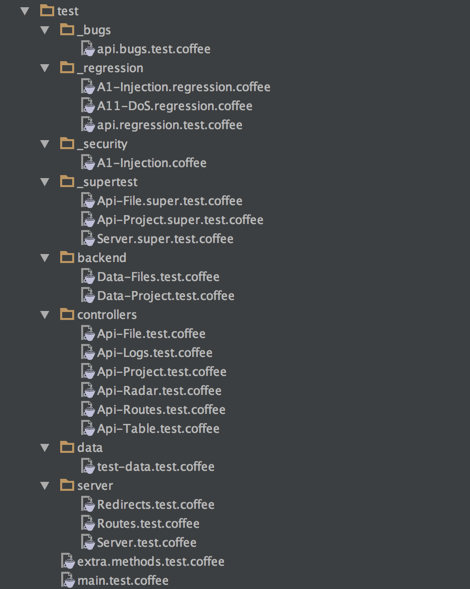
This is the node app which provides the web services consumed by the AngularJS front end (I’m not going to into much detail about this app, since this is a book about AngularJS not Node :) )
/
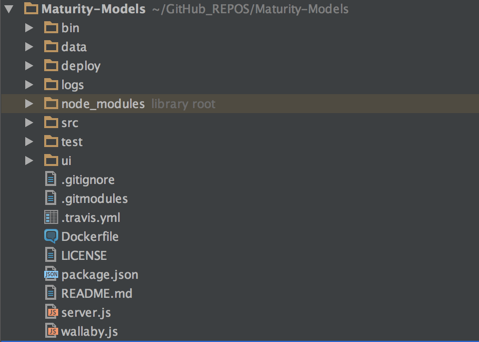
/data
/src
/test
.travis.yml
 1 sudo: required
 2 services:
 3   - docker
 4
 5 language: node_js
 6
 7 node_js:
 8   - "5"
 9
10 git:
11     submodules: false
12
13 env:
14   global:
15     - secure: "UnkjM...slVDl+NOBo="
16     - secure: "F2TFY...71tNyPFyEQ="
17     - secure: "eWiQ3...12PYxYF0FY="
18
19
20 before_install:
21     - cat .gitmodules
22     - sed -i 's/git@github.com:/https:\/\/github.com\//' .gitmodules
23     - cat .gitmodules
24     - git submodule update --init --recursive
25
26 before_script:
27
28   - cd ui
29   - npm install
30   - npm install -g bower
31   - npm install -g gulp
32   - bower install
33   - gulp
34   - cd ..
35
36
37 script:
38   - echo ">>>>> Running core tests<<<<<"
39   - npm test
40   - echo ">>>>> Running UI tests<<<<<"
41   - cd ui
42   - npm test
43   - cd ..
44
45
46 after_success:
47
48   - echo ">>>>> Updating Dev fork <<<<<"
49   - git remote add upstream https://DinisCruz-Dev:$git_pwd@github.com/DinisCruz-Dev/Maturity-Models.git
50   - git push -f upstream
51
52   - echo ">>>>> Building DOCKER IMAGE and pushing it go Docker Hub <<<<<"
53   - echo 'building docker image'
54   - docker images
55   - docker build -t diniscruz/maturity-models .
56   - docker images
57   - docker login -e $DOCKER_EMAIL -u $DOCKER_USER -p $DOCKER_PASS
58   - docker push diniscruz/maturity-models
59
60   - echo ">>>>> Cloning Maturity-Models-QA, adding extra commit and pushing it to Maturity-Models-Dev for  <<<<<"
61   - cd ..
62   - git clone https://github.com/DinisCruz/Maturity-Models-QA.git
63   - cd Maturity-Models-QA
64   - git remote add upstream https://DinisCruz-Dev:$git_pwd@github.com/DinisCruz-Dev/Maturity-Models-QA.git
65
66   - git config --global user.email "bot@travis.com"
67   - git config --global user.name "Travis Bot"
68
69   - git log -n5 --pretty=oneline > travis-git-log.txt
70   - git add .
71   - git commit -m "Comming files for $(git rev-parse HEAD)"
72   - git push -f upstream master
Dockerfile
 1 FROM    node
 2
 3 RUN 	git clone https://github.com/DinisCruz/Maturity-Models.git
 4 WORKDIR Maturity-Models
 5 RUN     sed -i 's/git@github.com:/https:\/\/<user>:<token>@github.com\//' .gitmodules
 6 RUN     git submodule init
 7 RUN     git submodule update
 8 RUN     git pull origin master
 9 RUN     npm install --quiet
10
11 WORKDIR ui
12 RUN     npm install --quiet
13 RUN     npm install --quiet -g bower
14 RUN     npm install --quiet -g gulp
15 RUN     bower --allow-root install
16 RUN     gulp
17 WORKDIR ..
18
19 RUN     pwd
20 RUN     mkdir logs              # node app was failing to create this folder
21 RUN     ls -la
22
23 CMD     npm start
24
25
26 # travis builds image and deploys to docker hub at: diniscruz/maturity-models
27 # build manually using: docker build -t diniscruz/maturity-models .
package.json
 1 {
 2   "name": "maturity-models",
 3   "version": "0.0.1",
 4   "description": "Maturity Models",
 5   "main": "server.js",
 6   "scripts": {
 7     "test": "node ./node_modules/mocha/bin/mocha --compilers coffee:coffee-script/register --recursive -R list",
 8     "start": "node server.js "
 9   },
10   "repository": {
11     "type": "git",
12     "url": "git+https://github.com/DinisCruz/Maturity-Models.git"
13   },
14   "author": "Dinis Cruz",
15   "license": "ISC",
16   "bugs": {
17     "url": "https://github.com/DinisCruz/Maturity-Models/issues"
18   },
19   "homepage": "https://github.com/DinisCruz/Maturity-Models#readme",
20   "engines": {
21     "node": "5.3.0"
22   },
23   "dependencies": {
24     "async": "^1.5.2",
25     "body-parser": "^1.15.1",
26     "cheerio": "^0.20.0",
27     "coffee-script": "^1.10.0",
28     "d3": "^3.5.16",
29     "express": "^4.13.4",
30     "express-load": "^1.1.15",
31     "file-stream-rotator": "0.0.6",
32     "fluentnode": "*",
33     "mocha": "^2.4.5",
34     "morgan": "^1.7.0",
35     "pug": "2.0.0-beta2",
36     "serve-index": "^1.7.3"
37   },
38   "devDependencies": {
39     "supertest": "^1.2.0"
40   }
41 }
wallaby.js
 1 module.exports = function () {
 2     return {
 3         files: [
 4             'src/**/*.coffee',
 5             'views/**/*.pug',
 6             { pattern: 'data/**/*'              , instrument: false, load: false, ignore: false },
 7         ],
 8
 9         tests: [
10             'test/**/*.coffee'
11         ],
12
13         env: {
14             type: 'node'
15         }
16     };
17 };
2.12 Tests - QA
The QA tests are split into two areas test and test-performance
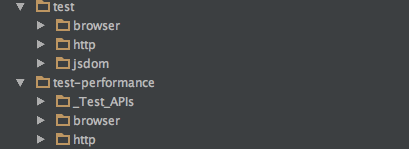
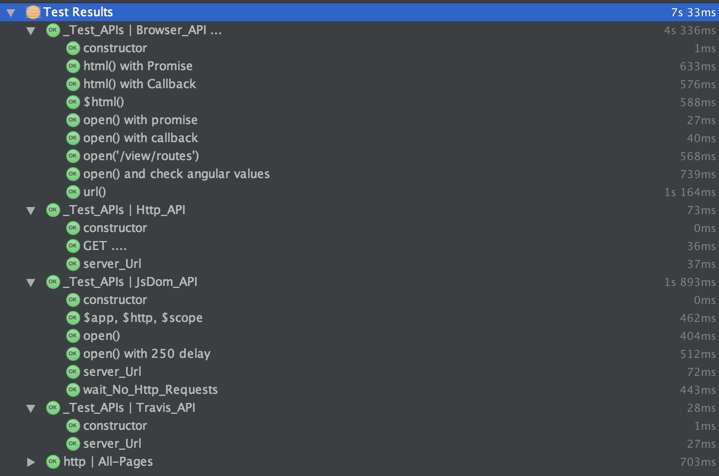
At the moment the main difference is that the test-performance contains: - tests that take long to run - tests that test the QA test APIs (Http-API, JsDom-API and Browser_API)
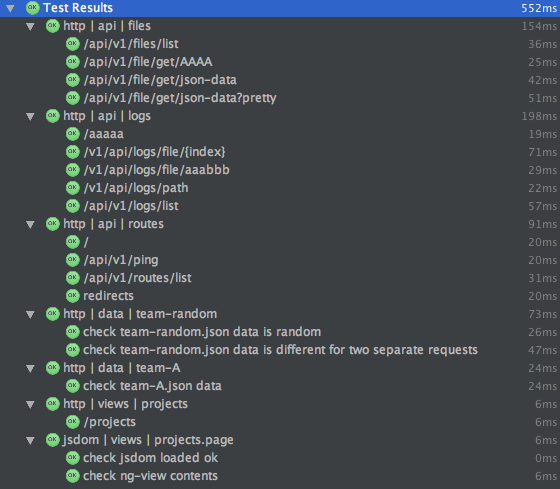
The idea is that the test should run quickly (i.e. sub second) which excludes any test that is stable but takes longer. This also makes the test tests wallabyjs friendly (i.e. I can run those tests and get real-time feedback).
Here is the test execution (in 552ms):
Here is the test-performance execution (in 7s 33ms):
2.13 Tests - UI
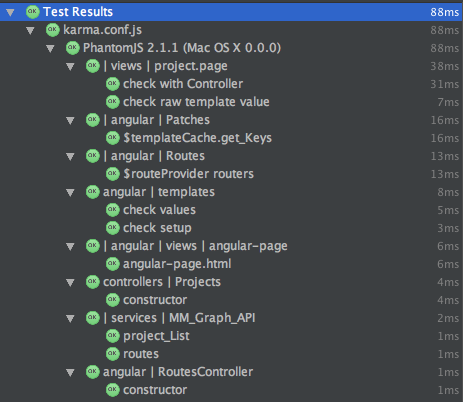
These are the UI tests which execute using Karma
2.14 Adding an Controller
Once we have the Data-Project we need to expose it via an Controller (called API-Project)
Here is the test
 1 Api_Project = require '../../src/controllers/Api-Project'
 2
 3 describe 'controllers | Api-Project', ->
 4   api_Project = null
 5
 6   before ->
 7     using new Api_Project(), ->
 8       api_Project = @
 9
10   it 'constructor', ->
11     using api_Project, ->
12       @.constructor.name.assert_Is 'Api_Project'
13       @.data_Project.constructor.name.assert_Is 'Data_Project'
14       @.router.assert_Is_Function()
15
16   it 'add_Routes', ()->
17     using new Api_Project(), ->
18       @.add_Routes()
19       @.router.stack.assert_Size_Is 1
20
21   it 'list', ()->
22     res =
23       json: (data)->
24         data.assert_Contains ['demo', 'appsec']
25
26     using new Api_Project(), ->
27       @.list(null, res)
Here is the code
 1 Data_Project  = require '../backend/Data-Project'
 2 express       = require 'express'
 3
 4 class Api_Project
 5   constructor: (options)->
 6     @.options      = options || {}
 7     @.router       = express.Router()
 8     @.data_Project = new Data_Project()
 9
10   add_Routes: ()=>
11     @.router.get '/project/list'     , @.list
12     @
13
14   list: (req,res)=>
15     res.json @.data_Project.projects_Keys()
16
17 module.exports = Api_Project
3. Case-study: Adding a new API and View
This is the story of an new feature that was added without browser being opened once:
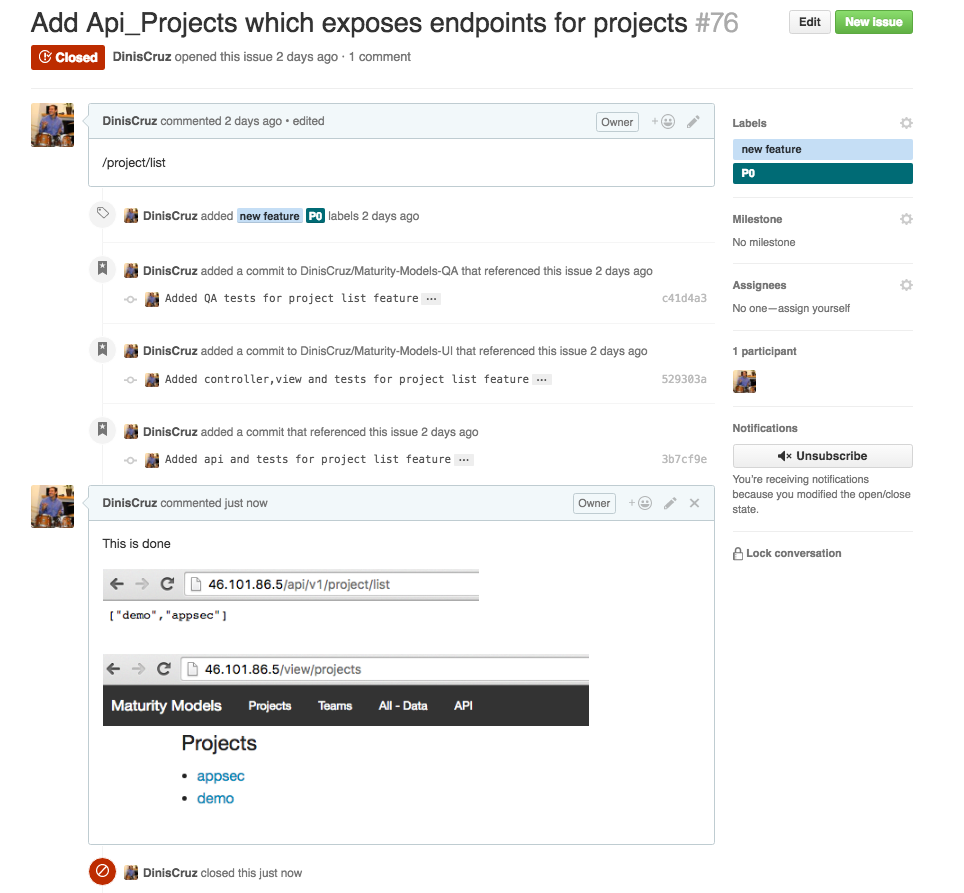
Although the brief looks simple (add a way to list projects and expose it on an api and view) there were a lot of moving parts.
In total there were 7x code and 9x test files created/modified:
-
Maturity-Models
- src/backend/Data-Project.coffee
- src/controllers/Api-Project.coffee
- src/server/Server.coffee
- test/controllers/Api-Project.test.coffee
- test/server/Server.test.coffee
- test/supertest/Api-Project.super.test.coffee
-
Maturity-Models-UI
- src/angular/Routes.coffee
- src/controllers/Projects-Controller.coffee
- src/services/MM_Graph_API.coffee
- views/pages/projects.page.pug
- test/angular/Routes.test.coffee
- test/controllers/Projects-Controller.test.coffee
- test/services/MM_Graph_API.test.coffee
- test/views/projects.page.test.coffee
-
Maturity-Models-UI
- test/http/views/projects.page.http.coffee
- test/jsdom/views/projects.page.jsdom.coffee
3.1 Adding Backend Service
First step is to add a backend service (called Data-Project) which will provide data about the current projects (in this case metadata about the project and its files).
Here is the test
 1 Data_Project = require '../../src/backend/Data-Project'
 2
 3 describe 'backend | Data-Project', ->
 4   data_Project = null
 5
 6   beforeEach ->
 7     data_Project = new Data_Project()
 8
 9   it 'constructor',->
10     using data_Project, ->
11       @.constructor.name.assert_Is 'Data_Project'
12       @.data_Path.assert_Contains 'data'
13                  .assert_Folder_Exists()
14
15   it 'project_Files', ->
16     using data_Project, ->
17       assert_Is_Null @.project_Files('aa')
18       console.log @.project_Files()
19
20   it 'projects', ->
21     using data_Project, ->
22       @.projects()._keys().assert_Contains('demo', 'appsec')
23
24   it 'projects_Keys', ->
25     using data_Project, ->
26       @.projects_Keys().assert_Contains('demo', 'appsec')
Here is the code
 1 class Data_Project
 2   constructor: ()->
 3     @.data_Path       = __dirname.path_Combine('../../data')
 4     @.config_File     = "maturity-model.json"
 5     @.default_Project = 'demo'
 6
 7   project_Files: (project_Key)=>
 8     key = project_Key ||  @.default_Project           # todo: refactor to make it clear
 9     return using (@.projects()[key]),->
10       project_Path = @.path
11       if @.path
12         values = []
13         for file in project_Path.files_Recursive()
14           if file.file_Extension() in ['.json', '.coffee']
15             if file.not_Contains 'maturity-model'
16               values.push file
17         return values
18       return null
19
20   # returns a list of current projects (which are defined by a folder containing an maturity-model.json )
21   projects: ()=>
22     projects = {}
23     for folder in @.data_Path.folders_Recursive()
24       config_File = folder.path_Combine @.config_File
25       if config_File.file_Exists()
26         data = config_File.load_Json()
27         if data and data.key
28           projects[data.key] =
29             path: folder
30             data: data
31     projects
32
33   projects_Keys: ()=>
34     @.projects()._keys()
35
36
37 module.exports = Data_Project
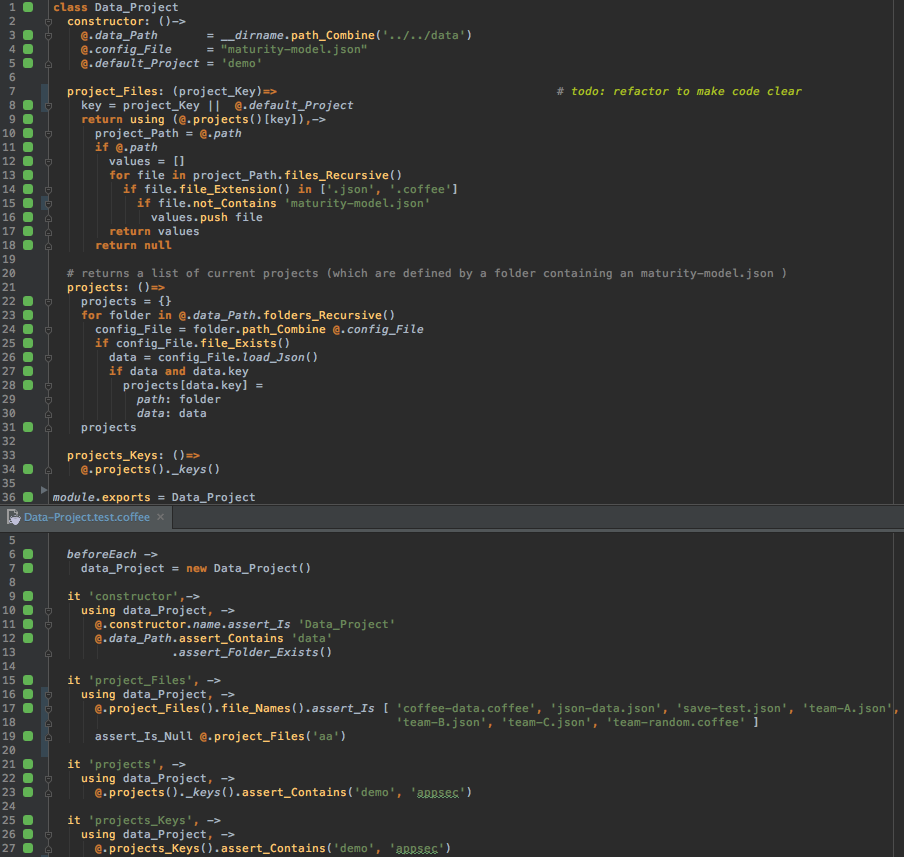
Here is what the development UI looks like (with wallaby confirming 100% code coverage)
4. Angular-v1
4.1 $digest
- explain how it works
4.2 $http
- used to make network/ajax requests
- works differently in tests (requests will not be made)
- this is a great thing, and will push us into a great development environment
get
1 file_List: (callback)=>
2   url = "/api/v1/file/list"
3   @.$http.get url
4          .success callback
post
1 file_Save: (target,data, callback)=>
2   url = "/api/v1/file/save/#{target}?pretty"
3   @.$http.post(url, data)
4          .success (data)->
5             callback data
4.3 $injector
- used to get depenencies injection references
4.4 $scope and $rootScope
- used to hold data
- show how to access it from Chrome inspector
4.5 $timeout
- used to trigger code execution after the $digest loop has ended
4.6 Angular mocks
4.7 Config
4.8 Controllers
4.9 Dependency Injection
- explain how it works
- Services and Testing use this a lot
- add
inject($...)->code samples
4.10 Directives
4.11 Module
- explain what it is
- how it is wire up
- option to bootstrap it manually
- all tests have it set up
4.12 Opinionated Angular
- list cases where Angular forces a particular direction
4.12.1 Http doesn’t work in tests
4.13 Patches
- add get_Keys method to $templateUrls$ (experiment with prototype method adding)
4.14 REPL from inspector
- Every now and then there is the need to access the angular objects directly
- List multiple ways to do that
4.15 Routes HTML 5 mode
- why I preferred the use of multiple single-pages
- better linking
- better isolation
- no ‘routes magic’ (which can be harder to debug)
4.16 Routes
- Why I choose the simpler ng-route (vs the more mature and complex….)
4.17 Services
4.18 Should angular 1.x be forked
- time to move away from Google?
- show the true power of open source
- this should happen anyway since there are too many apps that use Angular 1.x that will not be migrated (specially since the migration path is not smooth)
4.19 Simple 1 page Angular
- I like the fact that I’m able to create a 1 page working version of Angular that has all the components require to make angular work
- nice path to evolve from the 1 page app, into more professional and mature app
4.20 Template-Urls
4.21 Testing Angular
- make references to the Testing section (later in the book)
4.22 Two-way Model binding
- great to learn
- use for debugging
- {{…}} is a great syntax
4.23 Why Angular 1x
When I started this project I had the opportunity to review the current alternatives (as of 2016) to Angular 1.x
4.23.1 Angular 2.0
- looked to complex
4.23.2 React
- I like the virtual DOM and some of the JS constructs,but it didn’t seem to have the same components that I really like in Angular (directives, services, testing)
5. Technologies used
This section contains all the different technologies that I used in the development of the Maturity-Models project
In alphabetical order
- [ ] Agile-using-Kandan-WIP
- [ ] Bower
- [ ] CoffeeScript
- [ ] Css
- [ ] D3
- [ ] Digital Ocean
- [ ] Docker
- [ ] Docker Hub
- [ ] Docker Cloud
- [ ] Electrium
- [ ] Foundation
- [ ] Git
- [ ] Git Branches
- [ ] Git Commits
- [ ] Git SourceTree
- [ ] Git Submodules
- [X] Git Tags
- [ ] Git Rebase
- [ ] GitHub
- [ ] Gulp
- [ ] Html
- [ ] Javascript
- [ ] Jira
- [ ] JQuery
- [ ] Node
- [ ] Node Express
- [ ] Node Fluentnode
- [ ] Node JsDom
- [ ] Node Karma
- [ ] Node Mocha
- [ ] Node Morgan
- [ ] Node Npm
- [ ] Node PhantomJS
- [ ] Node modules
- [ ] Node Supertest
- [ ] Open Source
- [ ] Pug
- [ ] Travis
- [ ] WallabyJs
- [ ] WebStorm
idea: it would be quite interesting to do an infograph with these technologies and how they relate to each other - client vs server - development vs build
5.1 Agile using Kanban WIP
- WIP = Work In Progress
- means focus is ensuring no bottle necks between development, testing, qa and deploy
- means that qa and deploy issues are solved asap (not at the end when they are massive)
- keep the size of the problem to be solved as small as possible
5.2 Bower
5.3 CoffeeScript
- add why I like CoffeeScript
- like to site and demos
- put explanation of how I teach CoffeeScript (i.e. making Javascript simpler and simpler until there is nothing else to take out)
- CoffeeScript patters http://coffeescript-cookbook.github.io/chapters/design_patterns/
- (add screentshot)
- clases https://colinmackay.scot/2012/03/17/classes-static-properties-and-inheritance-in-coffeescript/
5.4 CSS
- no LESS or SASS (for now)
5.5 D3
- used to create the radar diagrams
- interesting issue at the moment to load the D3 dependencies (which need to be set in the main JS, {link GH issue})
5.6 Digital Ocean
- show example of creating droplet
- show integration with Docker-cloud
- ssh into instance
- see docker deployments in Actions
- debug deployment problem
5.7 Docker-Hub
5.8 Docker
5.8.1 useful docker commands
5.8.2 Docker vs VMs
- analogy of git vs svn
5.9 Electrium
- where it is used
- how it works
- based on Electrium (node and V8 with the same event loop)
- based on Spectron
- not very stable at the moment
5.10 Foundation
- used for CSS styles
- 12 grid view
- buttons, labels, form inputs, tables
5.11 Git - Branches
- explain how they are used on normal development and on ‘experiments’
5.12 Git - Commits
- Using git commits has a constant backup
- Use staging to create better commits
5.13 Git - Rebase
- very powerful to create clean merges and Pull Requests
- take a while to understand it (but it will make total sense when you get it)
- needs to be done carefully and will require multiple experiments to get it right
- make sure you have all changes committed and pushed before doing any rebase experiments
- I usually prefer to start with a clean clone of the repo and do the rebase there (into another branch which is used for the Pull Request)
5.14 Git - Submodules
- Using git submodules to separate repos
- isolate dependencies
- promote separation of concerns
- clean commits
5.15 Git - Tags
Used to mark releases and versions.
For example I used them in the Maturity-Models project to mark the version of the code-base that was used in the example.
Here is what tags looks like in SourceTree (with also a branch called v0.1)

Since we have 4 main repos each need to have a tag (so that we can easily find the specific commit) Maturity-Models
which we can browse in Github
Note the ui @ c715df6 ref (above), which points to this commit (also marked with v0.1 tag)
Which is also easily viewed in GitHub (note the url)
Here is the BSIMM-Graphs-Data repo v0.1 tag
And the Maturity-Models-QA repo v0.1 tag
For other practical examples of using git tags see: * Adding Tags to TeamMentor Master repository * Syncing all releases to the same commit and Tag (for TeamMentor v3.4)
5.16 GitHub
- This is such an important part of the workflow, which has its own section
- link to it
5.17 Gulp
- how it works
- current Gulp tasks
- gulp watch
5.18 HTML
- best part is that I don’t use it
- all HTML is generated by Pug
- HTML generation is one of the most dangerous things that can be done
- the main security responsibility that views have is to safely create HTML, and the best way to do it securely is to code in an environment where that happens by default (and one really has to work hard to create HTML insecurely)
5.19 JIRA
- Used for RIKS management workflow
- JIRA issues linked to GitHub using ‘links’
5.20 JQuery
- the key of jQuery is NOT to use it (on the client)
- Once we are coding in Angular, JQuery is not really needed, and its use is usually an indication of using angular wrong
- on the testing side, that is a different, where there are a number of tests (for example JsDom based) that use it to check HTML elements
5.21 Javascript
- used on both client (Angular) and server (Node) codebase
- Compiled into it from CoffeeScript (using Gulp)
- Could do the same for mocha but not needed
- The client side Javascript is all concatenated into one file via GULP (note that lack of doing this is usually a sign of lack of CI (since this is quite easy to do, when one has an CI))
5.22 Node - Express
- The web server used
- list and explain the modules used
- show code ‘Server’
5.23 Node - Fluentnode
- what it is trying to do
- show examples
5.24 JsDom
- Used for QA tests, really powerful since it exposes the angular objects to Node (with all the power of node’s APIs)
5.25 Karma
- used to test AngularJS code
- created by Angular team, knows Angular well
- compatible with Tests that are coded with Wallaby
- both config files are very similar ({add screenshot showing them side-by-side})
- uses PhanthomJS to run the tests
5.26 Mocha
5.27 Morgan
- for logging
5.28 NPM
- Node Package Manager
5.29 PhantomJS
- used by Karma
5.30 Node modules
- node dependency management
- folders inside node_modules
- mention the crazy amount of dependencies that are installed
- show the diff between what is defined in package.json and what exists inside node_modules
5.31 Node - Supertest
5.32 Node
- Javascript on the server side running on V8 engine
- One user thread with one event loop (lots of threads on the background)
- very easy to create tons of parallel requests
5.33 Open Source
5.34 Pug
- Pug 3 is an …
- Great example of synergy between Development and Security
- there should no XSS on this side (but we need proof of it)
5.35 WallabyJs
- the key for TDD
- real time (affected) test and code coverage in IDE
- all types of tests are able to be coded using it
5.36 WebStorm
- show my IDE setup
- features used
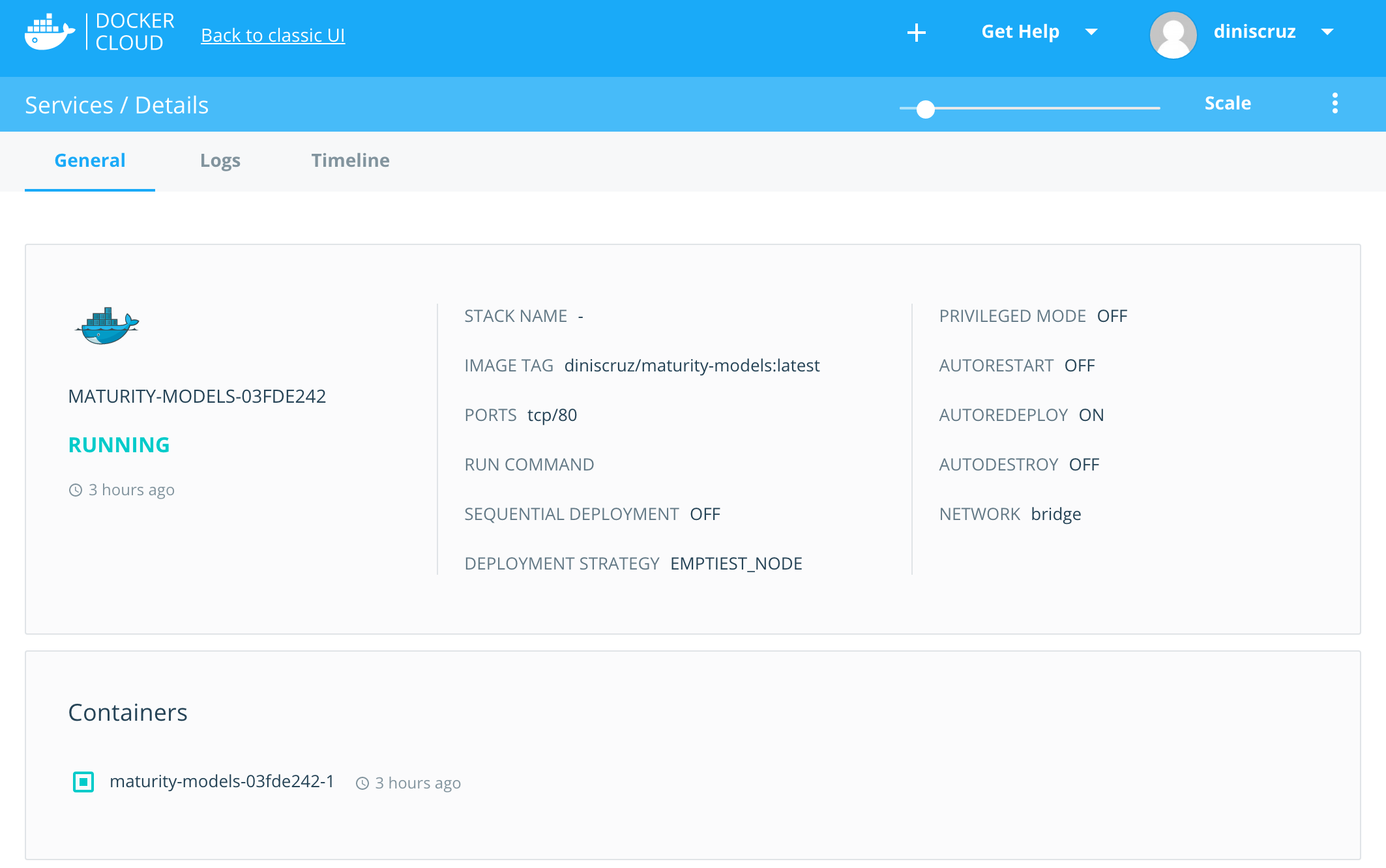
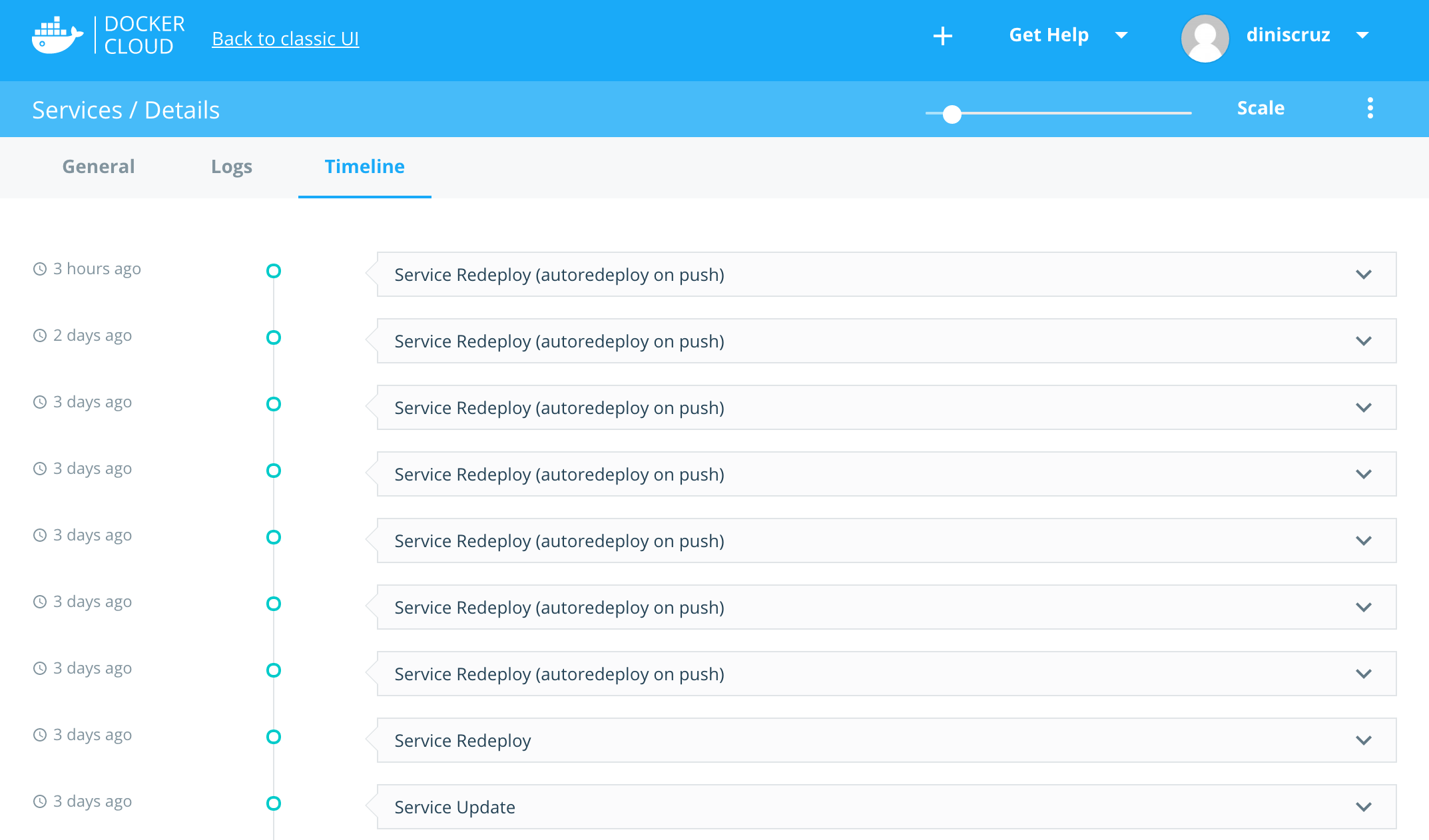
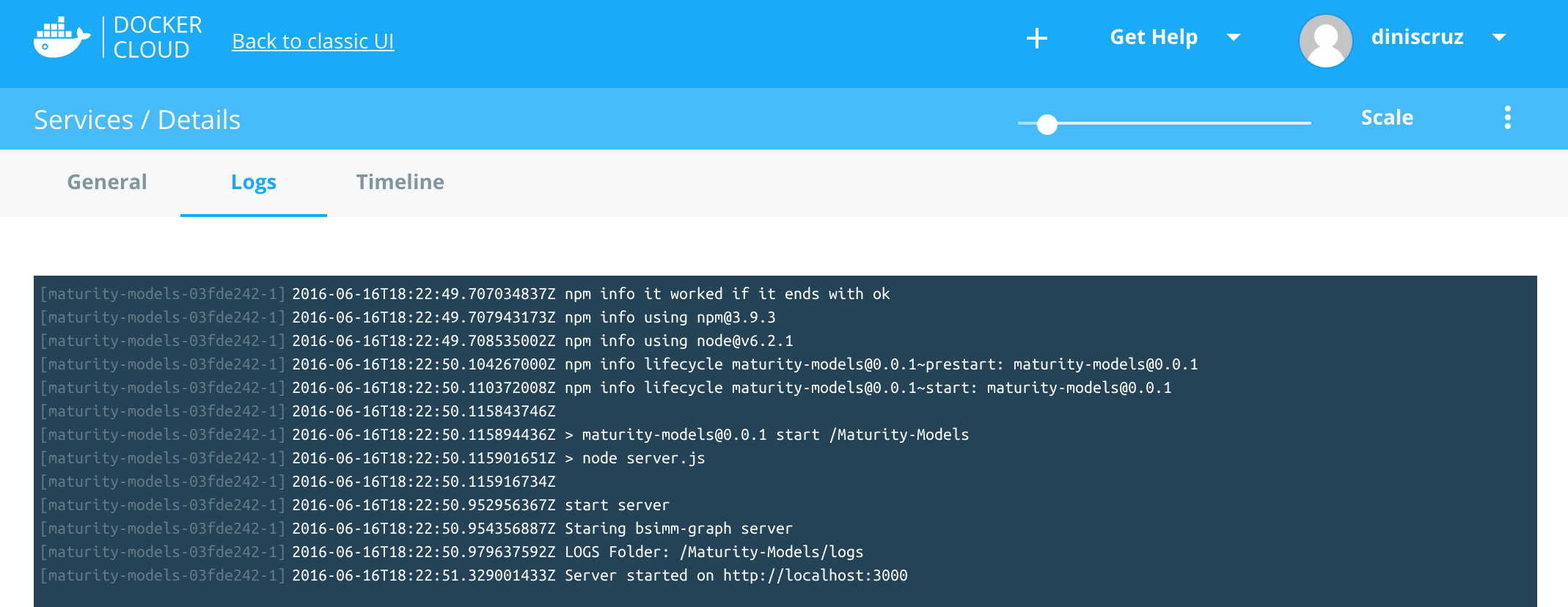
5.37 Docker Cloud
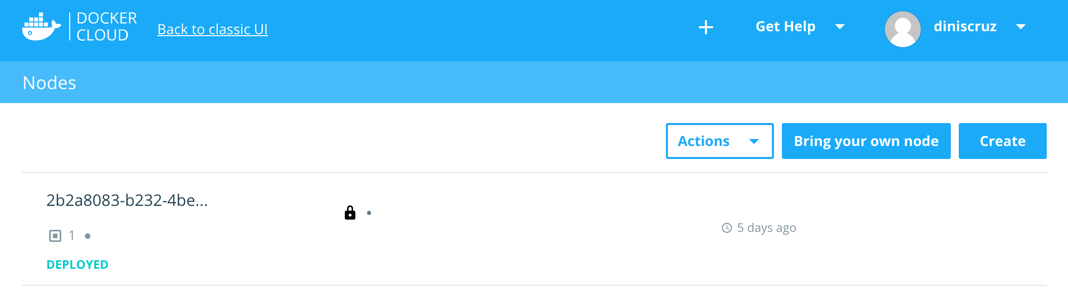
Nodes
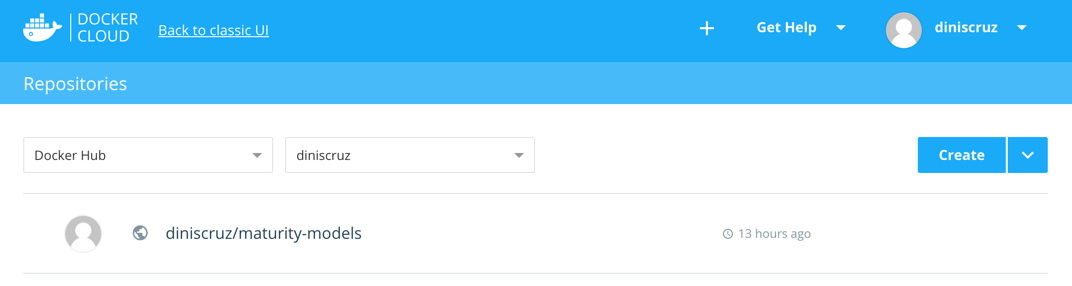
Repositories
Containers
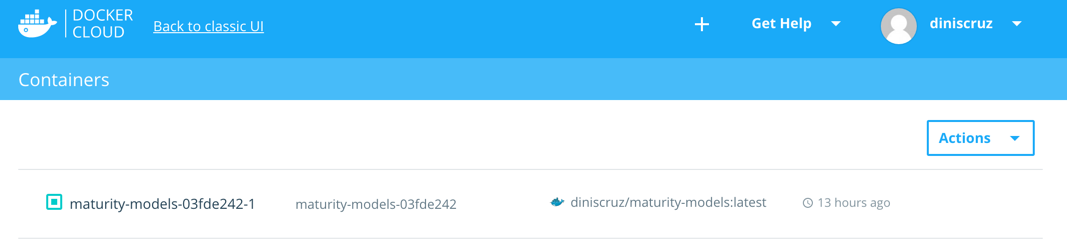
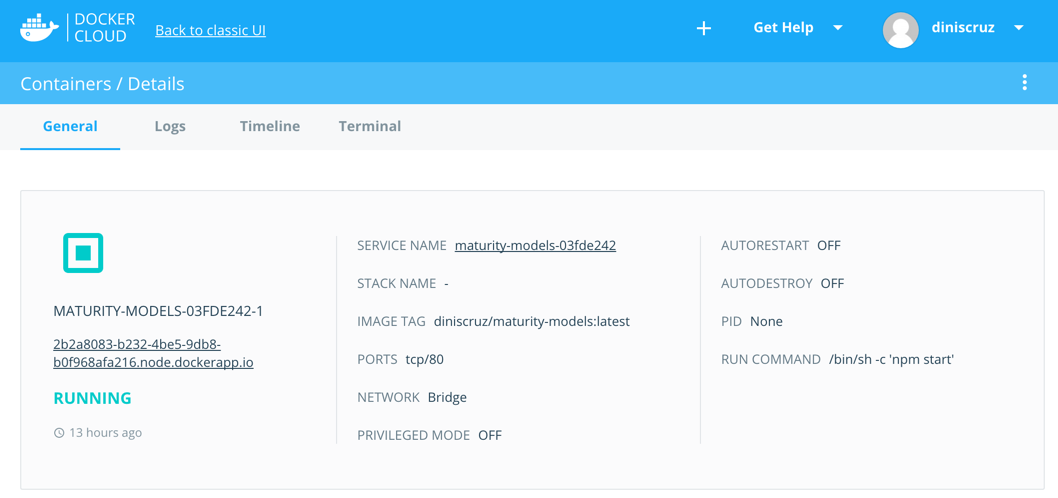
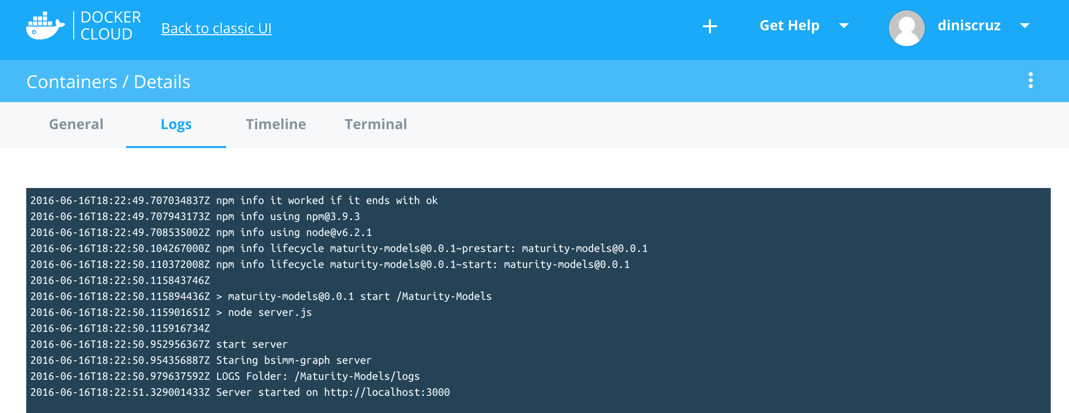
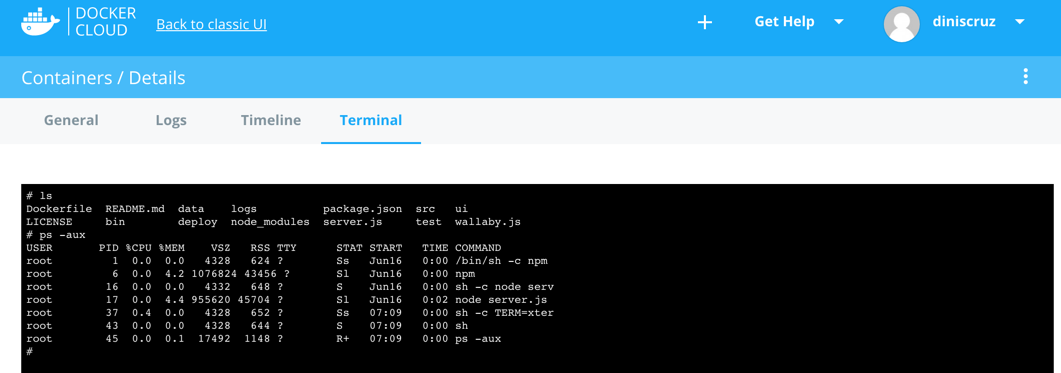
This is really powerful, the ability to easily ssh into the deployed docker container
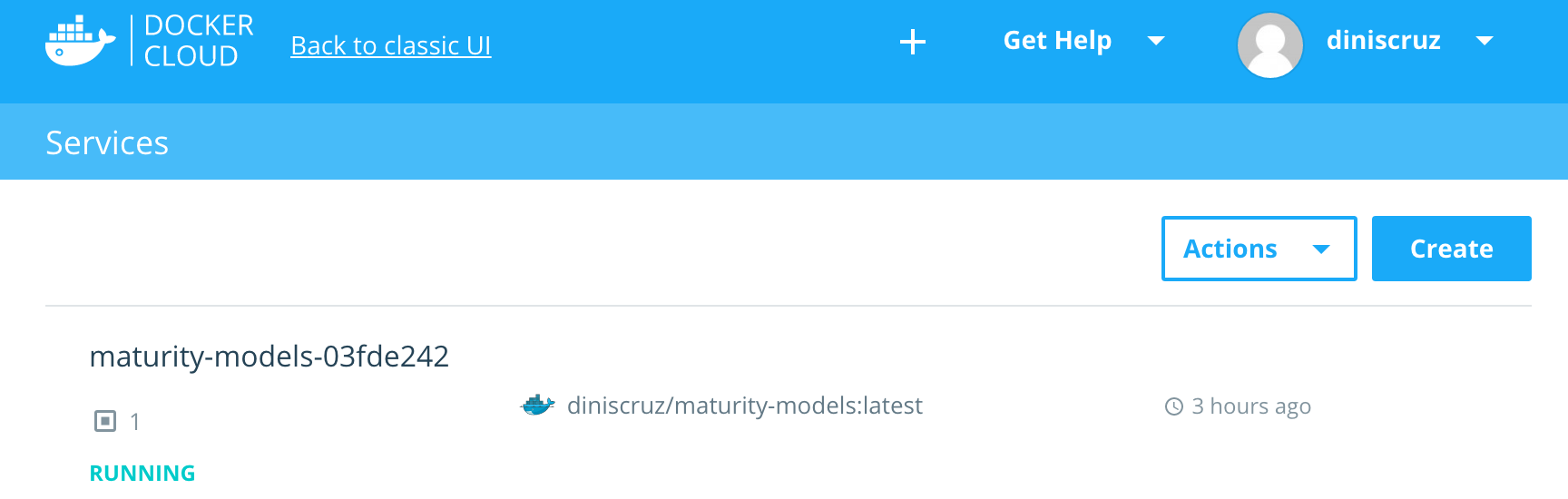
Services
5.38 Travis
- used as part of CD (Continuous deto:
- run tests
- create docker image
- push docker image to Docker Hub
- push commit to forks (in one case with an extra commit)
5.38.1 Travis badges
- nice way to keep an eye on the status of the builds
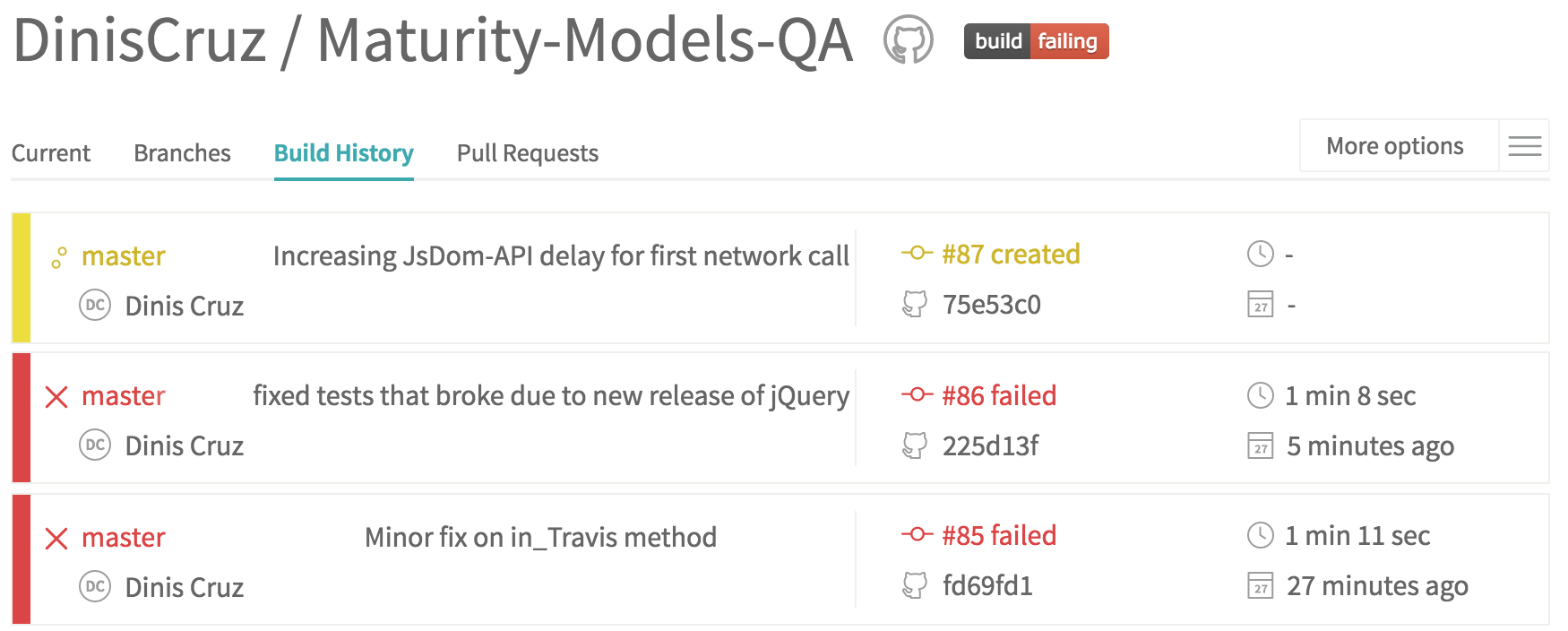
5.38.2 travis reacting to an GitHub commit
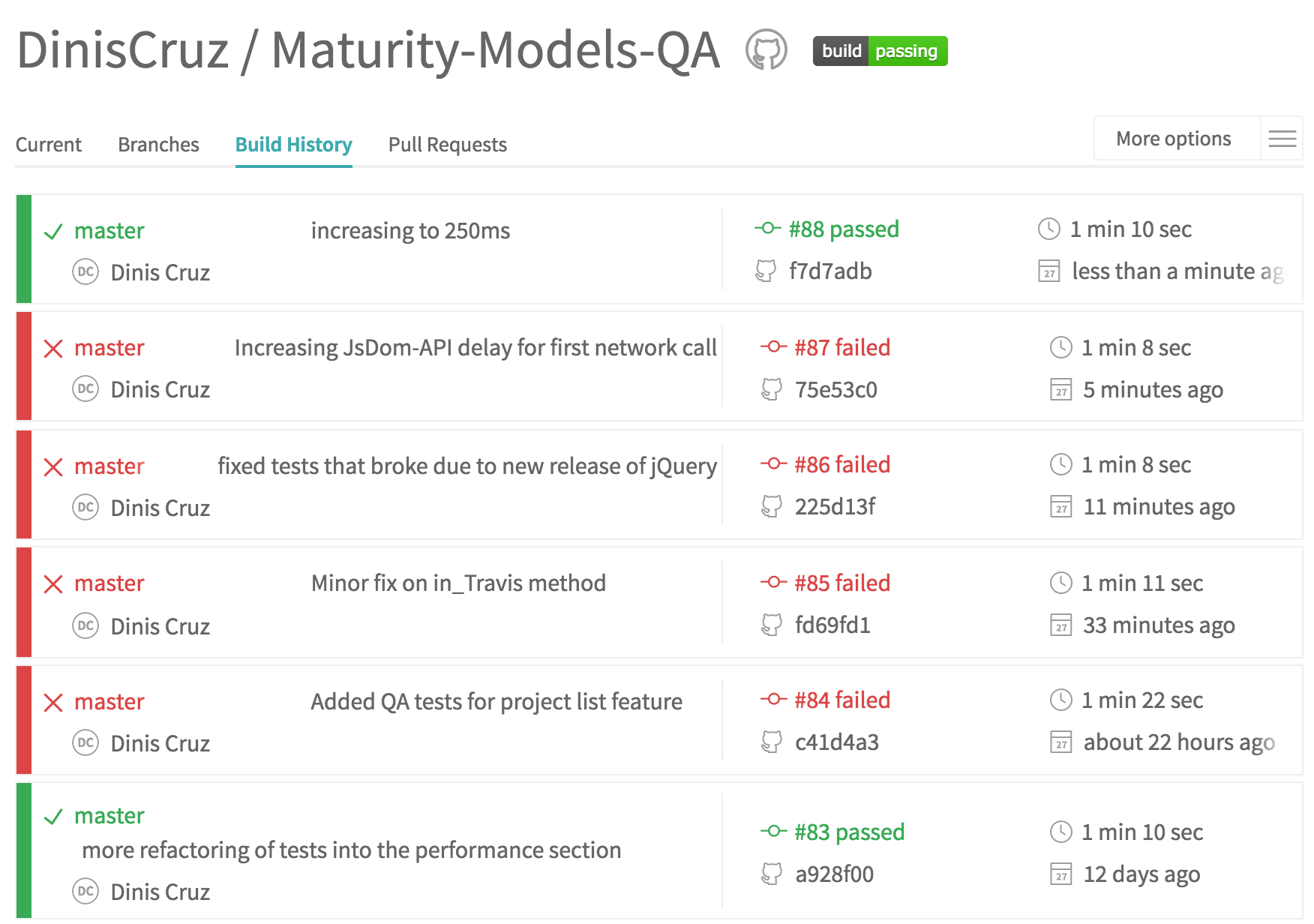

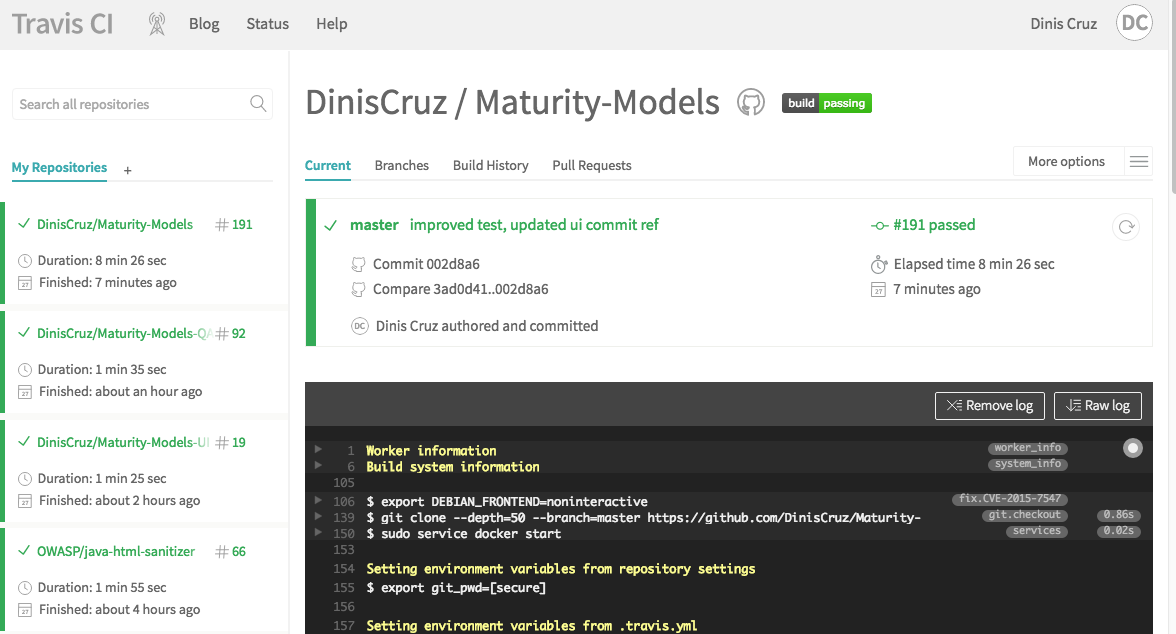
6. Development
6.1 Code Formatting
- explain my current logic
- show examples
- for example https://twitter.com/DinisCruz/status/743063496754094080
6.2 Continuous Deployment
- explain how it works
- the multiple parts of it
- add diagram
6.3 Fluent Asserts
- from Fluentnode
- tests tell a story of its development
- makes tests easy to read
6.4 Issue Creation Strategy
- explain the rule to create issues
- in my view, the smaller the better
- strategies to visualize them
- add human analysis (i.e. metadata on how to read certain things)
- for example the concept of closing issues that are risk accepted
6.5 Risk Acceptance Strategy
- abusing the term ‘risk’
- different types of ‘risks’:
- Security
- Bugs
- Hack
7. Testing
7.1 5000% code coverage
- it is not about 100% code coverage
- it is about using code coverage has a tool
7.2 All tests pass, all the time
- no broken tests since they promote more broken tests
- all tests passing is used to move from one CD stage into the next
All test passing does not indicated that the app has no bugs or issues that need to resolved. It just means that the latest changes have not modified the behavior of the application (at the least the parts that were had not tests changed)
7.2.1 Code changes without tests are random changes
7.2.2 Alarm bells should ring on code changes that don’t break tests
- opportunity to understand blind spot and add test coverage for it
7.3 App Actions via Chrome Bookmarks
- keys to help development and testing
- not that the devs should be using the browser, but when they do, they should not be clicking on things (like login, fill form, go to page X)
- The evolution of this is to create a custom browser extension that allows for more complex workflows (show example of REPL I created)
7.4 Be happy when tests fail
- as long they are the tests you where expecting to fail, if not you have a problem
7.5 Be happy with changes
- see changes as your competitive advantages
- embrace changes, don’t view them as a bad thing
7.6 Code without looking at the app
Be able to code for long periods of time without actually opening the app (website or API) and looking at it
- switching context is very expensive
7.7 Create Test APIs and DSLs
- which of course have to be tested
7.8 Good tests design is critical
- tests are not 2nd class citizens
- care and focus must exist on how they are created, maintained and designed
7.9 Minimum TDD requirement
- without it, in my book, one will struggle to do TDD
- TDD should be easy
- High code coverage should be easy
“My TDD environment for AngularJS”
7.10 No limitations on test stack
- it is ok (and natural) to lock down the dev stack of an app (since the cost of upgrade can be high, with no significant benefit)
- it is NOT ok to to limit the technologies and techniques that can be used for testing. Of course that the technologies used have to be solid, maintainable and scaleable; but one shouldn’t be locked by the tech stack of the main app
- tests will not run on production
- ok to have all sorts of technologies (specially if they can execute inside docker)
- for example using .NET to test an Java app, Node to test an .NET app, Python to run QA tests via Selenium
7.11 Perform demos using Automation
- great way to test drive Testing APIs and DSLs
7.12 Print tests for review
- remarkable way to review code
7.13 Real code is simple
- easy to read and maintain
- it is OK(ish) to introduce some black magic and hacks on tests (as long as they are stable, easy to understand and maintain)
7.14 Real-time Code coverage
- A requirement for TDD
- WallabyJs does this perfectly
- WebStorm workflow works, but it not very good (to many brain distractions and too slow)
7.15 Real time test execution
- A requirement for TDD
- WallabyJs does this perfectly
- WebStorm with auto-execute (in seconds) is a decent compromise
7.16 Run tests on all Commits of all Branches
- no broken tests
7.17 Security vulns are features
- which also needs tests
7.18 WebStorm tests setup
- How to run the multiple type of tests in WebStorm
7.19 Write tests for all bugs
- great way to measure quality of test infrastructure
- example the path of writing tests at all layers (from web interface to DB)
- then do the reverse and build a reverse-tree with all affected code paths
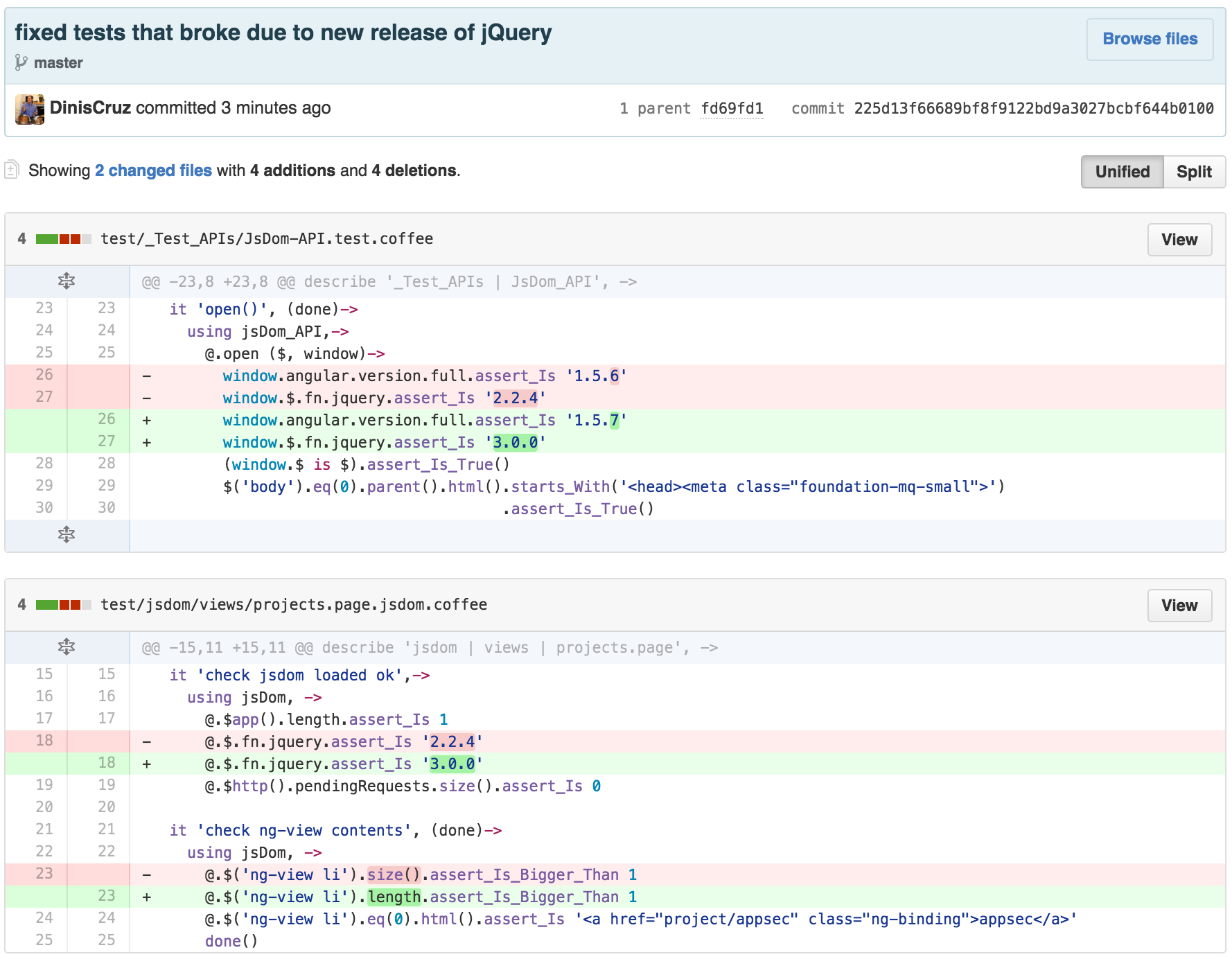
7.20 Controlling dependencies
using testing
Example of detection of jQuery update (which happened a couple days before that screenshot)
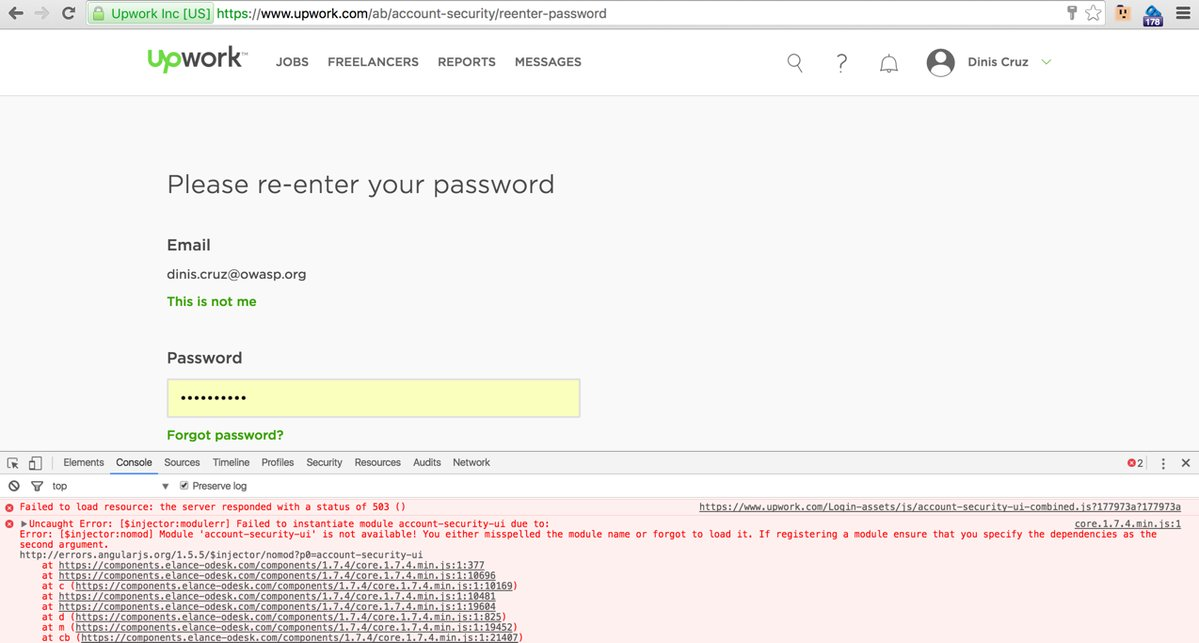
7.21 Real world angular bugs
Upwork missing module
- this is the kind of bug that would had been picked up with TDD (where all code is tested and multiple levels)
8. Security Tests
8.1 AngularJS Security
“Angular is pretty safe already, but if not used correctly with secure best practices, will still lead to insecure software” 5
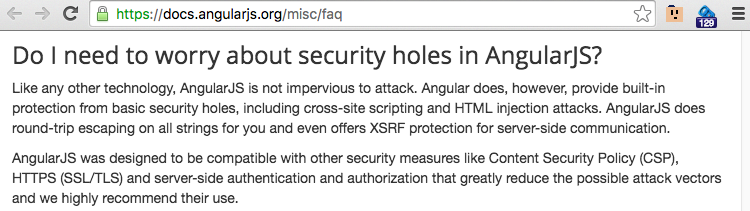
AngularJS as a client side framework, does not suffer from the same type of vulnerabilities that we usually see on web apps. By design, all assets are already on the client (i.e. the AngularJS app) and the attacker has full control over its execution environment (i.e. the browser).
In fact if you see too many Authorization decisions on the Angular code, then that is usually an indication that the server side is not enforcing those roles. A key concept is that Client side validation, authentication and authorization are ‘usability features’, not ‘security features’
The main security issue that needs to handled at the AngularJS layer is XSS (Cross-Site-Scripting), which is created by the insecure creation of HTML.
AngularJS provides a lot of protections by default (specially when compared with other client side frameworks), but that doesn’t mean that it it not possible to create XSS (i.e. Javascript execution). For example I’ve seen plenty of XSS created by direct DOM manipulation (usually in directives or jQuery-like coding).
Here are the patterns I like to following when coding AngularJS Apps:
- know the attack surface
- Don’t use server-side templates
- don’t care about security
- don’t use jquery
- don’t use strings
- validate all input
- don’t use html method.md
For me the key for AppSec is Assurance and that can only be done when we are able to Answer Security questions with (unit) Tests
Here is what AngularJS says about Security:
8.1.1 Online resources
-
Presentations
- An Abusive Relationship with AngularJS, Dec 12 2015 , Mario Heiderich,
- ng-owasp: OWASP Top 10 for AngularJS Applications, Jun 2015, Kevin Hakanson
- Securing your AngularJS Application, Mar 2016, Philippe De Ryck
- AngularJS Security: defend your Single Page Application, Oct 2015, Carlo Bonamico
- Secure AngularJS, Dec 13, Asaf David, @asafdav
- JSMVCOMFG - To sternly look at JavaScript MVC and Templating Frameworks, Dec 2013, Mario Heiderich
-
Videos
- Security with Angular JS, May 13, David Mosher
- An Abusive Relationship with AngularJS, Mario Heiderich, btconfDUS 2016
- Security Research
-
Articles (note that these are done for ‘usability’)
- Techniques for authentication in AngularJS applications
- Authentication with AngularJS, session management and security issues with REST Api WS
- Cookies vs Tokens. Getting auth right with Angular.JS
- Authentication in Single Page Applications With Angular.js
- Authentication to a RESTful web service in an AngularJS web app
8.2 A1 - Injection
- explain what it is, and how it can be created in the app
- {this and the ‘Patterns’ section is kinda an ‘Security Coding Standards’ for the Maturity-Models app
- Add example of the RCE vulns that existed in the app (and still exist)
- A1 - Injection
8.3 T11 - Denial of Service
- Point to T2 accepted risk issues
8.4 A2 - Broken Authentication
- Point to T2 accepted risk issues
- A2 - Broken Authentication
8.5 A3 - Cross-site-scripting
- should not be possible
- need assurance
- how it can be proven that doesn’t exists
- things to do: add test that confirms that Pug’s raw html is not used (see if it possible to remove this feature from Pug (open issue asking for it))
- A3 - Cross-site-scripting
8.5.1 AngularJS directives, the source of XSS vulns
- it is in directives where I’ve seen XSS vulns in Angular Apps
8.5.2 Other ways to create XSS in Angular
- see http://blog.portswigger.net/2016/01/xss-without-html-client-side-template.html research
8.6 Accepting Risk
8.7 Answer Security questions with (unit) Tests
- (unit) Test must be used to answer security questions:
- for example how do you know if a particular endpoint or API is not vulnerable to XSS (you need proof)
- how does the angular code handle the data that is received from the server
- what happens if the server is the once attacking the client AngularJS app
- we need to know which server side provided data is not safely handled by the client-side code (ideally the answer is none, since the AngularJS app is able to safely handle all of it)
8.8 Attack surface changes breaks tests
See https://twitter.com/DinisCruz/status/745582490186833921 and https://twitter.com/DinisCruz/status/745604432751136768?replies_view=true&cursor=ADCW1FXsWAo for pics of this in action
8.9 Create tools to Brute Force app
- example of O2 Platform tool to push the app hard and to visualise it
8.10 Deadlines create pollution
End of Sprints, Delivery Deadlines or ‘where are we at’ presentations, can be a massive source of hacks and lost of focus, where compromises are made in the code, so that XYZ feature can be shown.
There are numerous places where this has already happened in the Maturity-Models app, and (ideally) all have been captured in Quality issues (so that they can be addressed at a later stage).
This is a good example of the ‘pollution’ created during development
Yes, progress needs to exist and it is important to show the business owners what is going on, but, if too many compromises are made ‘just for the demo’, this can be a false economy (i.e. more expensive in the medium/long term)
The good news is that High levels of code coverage allow the gaps created to be identified
8.10.1 Â how long will it take to clean up the mess
- google exec for allowing research projects
8.11 How to pentest this app
- find blind spots
- don’t play game of security by obscurity
8.12 Http Headers
- example of testing security of existing HTTP headers (the ones that exist and the ones missing)
8.13 No security by obscurity
- not playing that game
- all code is available on GitHub
- all security issues are mapped
8.14 OWASP Top 10
- link to owasp.org page
- explain what it is
- every app needs to have an OWASP Top 10 that explains how to create them (an Top 10 vuln)
8.15 Other vulns that need tests
- put list here (with link to Respective GitHub issue)
8.16 Pattern - Don’t care about security
- the best model is one is able to code without carrying about security
- i.e. it is very hard if not impossible to create an security issue without breaking a test
8.17 Pattern - Don’t use .html() method
- The .html() is really evil and problematic
- it should not be used since it implies that DOM objects are being created in an insecure way
- when data needs to be put inside an element .text() needs to be used.
- attributes have to be set using attribute’s setters
8.18 Pattern - Don’t use jQuery
- on code not on tests
- jquery promotes hacking the DOM which is always a bad thing
- logic is that if we can’t do something with Angular apis and need jquery, something is wrong with approach taken
- there should be very little (if not not none) direct DOM manipulation
8.19 Pattern - Don’t use strings
- strings are really dangerous beasts
- no need for 4Gbs of unicode variables
- use classes and strongly typed objects
- this is one area where there is still some work to do (and refactoring)
8.20 Pattern - Validate all input
- show techniques and examples
- show vuln that exists (and existed) in Maturity-Models projects
- Regexs are a great way to do this (but one has to be careful not to create DoS situations)
8.21 Pollution not Technical Debt
- pollution is a much better analogy
8.22 Vulnerabilities by Design
- list the current security issues that the app has (either by design or as features)
8.23 Pattern - Don’t use server-side templates
Don’t mix server side and client side templates … Most HTML encoders and frameworks leave {{}} alone 6
- there should be a clean ‘air-gapped’ separation between client side code (Angular based) and service side code (NodeJS REST based)
- all data transfers between client and server is done via AJAX calls (using AngularJS services)
- all content loaded from server is static (AngularJS templateUrl, javascript, css, images)
- there should be no server-side templates, dynamic generated content or (even worse) dynamic creation of javascript blocks (with data injected into it using string concats/transclusion)
- this actually existed in the first versions of the Maturity Models project, where there were a number of html pages that were dynamically generated from jade templates (see images below)
- part of the move to angular was to avoid the inevitable complexity and security issues of handling user data (in this case the BSIMM mappings)
- this separation of concerns dramatically simplifies the testing of both client and server code
- One of the security issues that this move prevents is the
{{ }}injection that can occur in AngularJS code generated on the server side- the injection blind-spot is caused by the fact that the chars
{ } | ( ) [ ] = , .are not usually escaped, but are very useful when writing Javascript exploits (see jsfuck for an example of how crazy Javacript can be). - add reference to research on this topic that exists on the AngularJs-security.md page
- the injection blind-spot is caused by the fact that the chars
9. GitHub
- it is such an important part of the workflow that it deserves a separate section
9.1 Commits
- GitHub Commits
9.2 Images Copy and Paste
- for example the workflow that I have when adding images to this book
- see http://blog.diniscruz.com/2012/04/solution-to-copy-and-paste-images-into.html
9.3 Issues - Labels
9.4 Issues
9.5 Offline coding
- how git and github support it
9.6 Online editor
- to edit code and documentation
- all changes will trigger a build and deployment
9.7 Pull Requests
- PRs for short
9.8 Pulse and Graphs
- show examples of what they look like
9.9 Releases
9.10 Todo’s Checklists
- small thing that can make a big difference
9.11 Version Control
- What git is all about
- everything is on version control (all source files, diagrams, images, etc..)
9.12 WebHooks
- how the travis magic works
9.13 Wiki
10. Future
10.1 SAST Analysis
- Maybe using Codiscope
- Current state of SAST engines and code analysis tools
- some good for quality
- not many for security