Chapter 3: Product Backlogs
The Product Backlog is simply a to do list, or is it? Like most to do lists, the Product Backlog can suffer if not looked after. In this topic you teach some patterns for Product Backlogs, like how big it should be, and what the items that make it up should look like.

|
Materials needed
|
4Cs Training plan
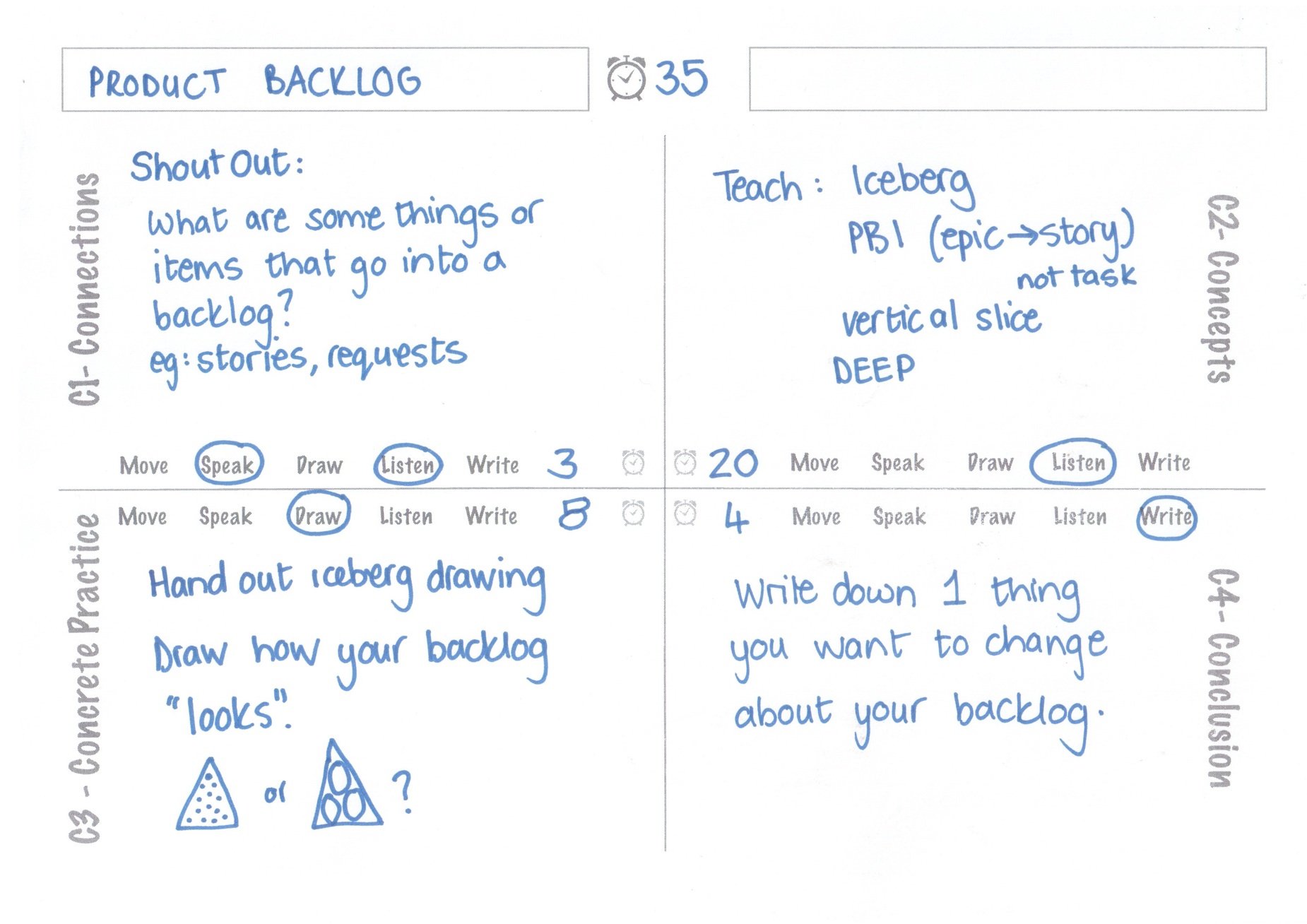
Shout Out (C1)
Ask people to shout out answers to “what are some things or items that go into a backlog?” - if you like you can write these up as they shout out. This exercise gets people thinking about the composition of Product Backlogs. What people say usually gives you some insight into how they view their backlogs.
Teach (C2)
Do a brief teach on Product Backlogs. Try and link back to what people mentioned in the C1 Shout Out.
Iceberg
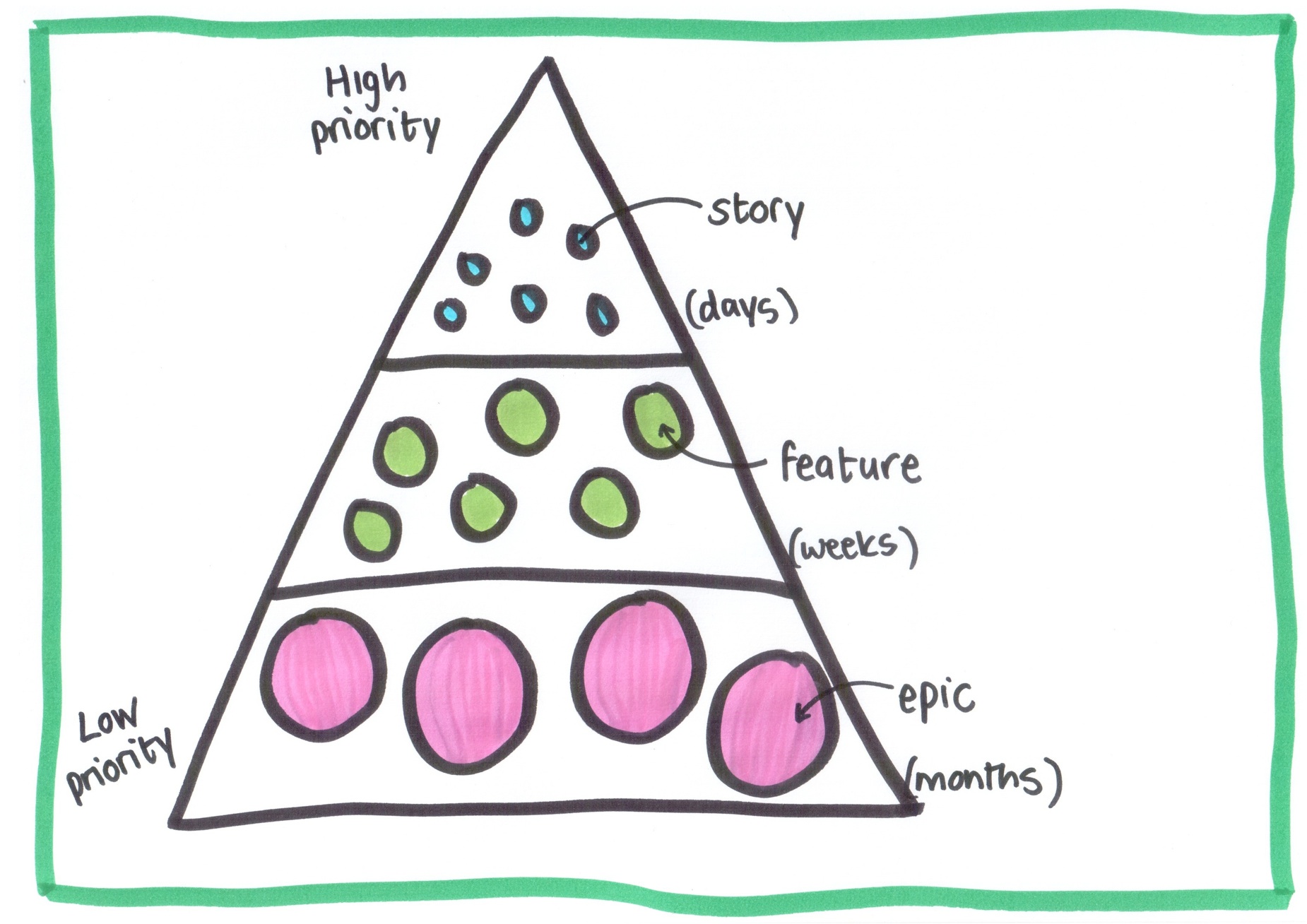
Explain this with the iceberg slide since the visual image is important here. If you choose not to use slides then draw the iceberg on a flipchart or whiteboard. Only a small part of an iceberg is visible above the surface of the water. The analogy is that the User Stories groomed and ready for Sprint Planning are only the tip of the Product Backlog iceberg. The Product Backlog is actually made up of three parts: these are the slices of the iceberg. Often people only focus on the top section, however the other two layers of the backlog are equally important.
The top layer is a set of small detailed User Stories well understood by the team and ready to be developed in the next few sprints. Items at this level should be small enough to be implemented in a couple of days.
The second layer is a set of features, that might span the next release. Items at the feature level are less granular than at the story level. Usually it would take a few weeks to implement one of these features.
The last layer is a set of epics, these usually indicate the big items on the Product Roadmap for the next year or two. Items at this level might take months to develop, each one might even be the theme for a particular release.
In total we advise that a backlog should be no more than 100 items, and those should be split roughly in thirds between these three layers. It’s important to understand that the backlog is prioritised by value to the business. So the items at the top of the iceberg should be the most valuable items.
As items are delivered they move off the Product Backlog, and new items bubble up from the layers below. For example a feature might be broken down into more detailed stories a week or two before it will be added to the sprint. As an epic becomes more important it will move up the backlog and be broken down into features, and then later into stories.
Product Backlog Items
The items on the Product Backlog are known as Product Backlog Items or PBIs. Often people use the word stories instead of PBIs. That’s okay if everyone know’s what a User Story is. Also note that epics or features can also be called User Stories.
One thing that some people do get confused about with Product Backlogs is tasks. It’s important to explain that the Product Backlog does not include tasks. That breakdown (User Stories into tasks) is only done by the team in the sprint, and tasks are part of the sprint backlog only.
Vertical Slice
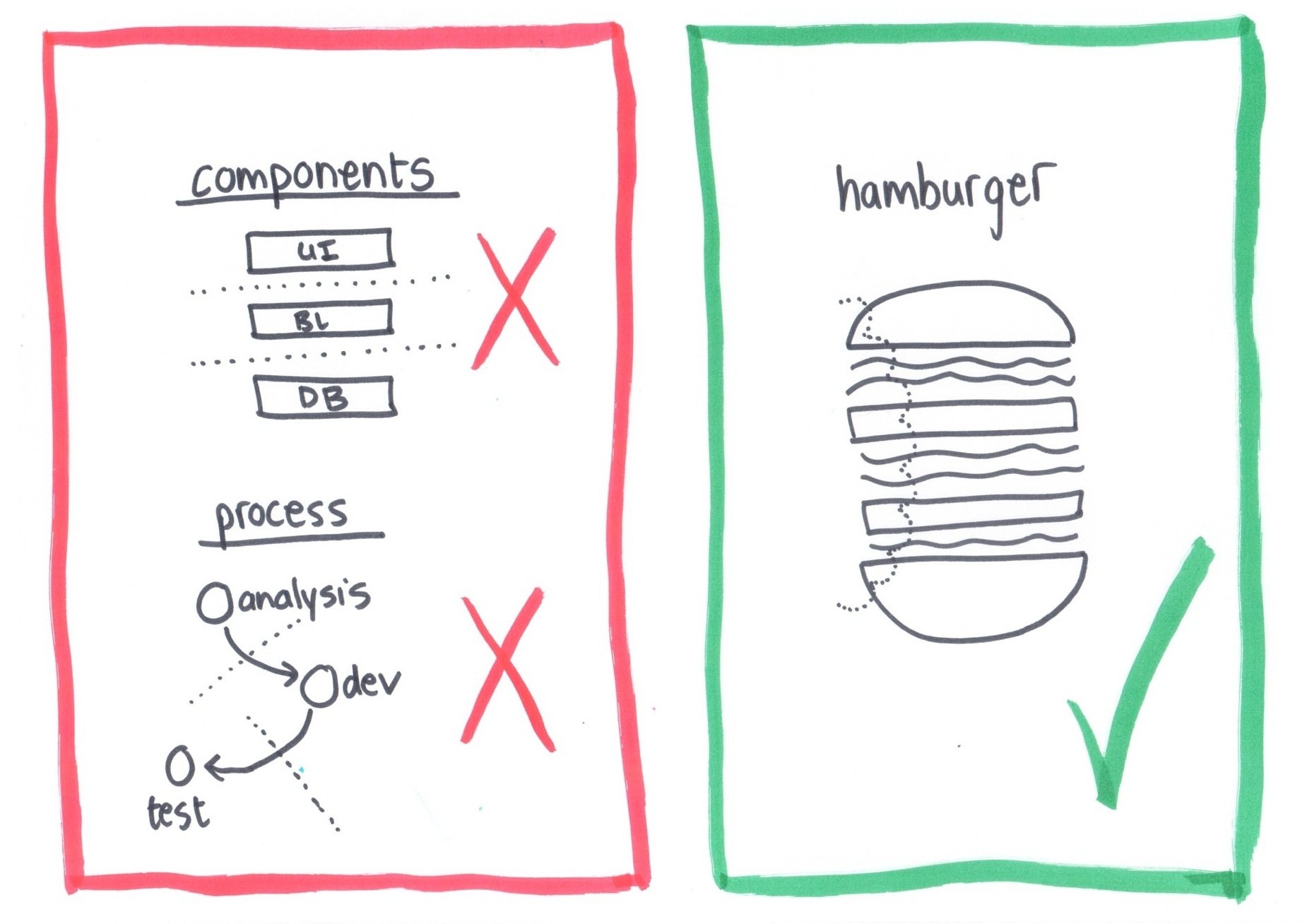
Each PBI should be a vertical slice of the system, rather than a horizontal slice. This is usually a stumbling block for teams who have worked using waterfall before, because their default approach to splitting work is via component. The hamburger is a great analogy to help people understand this. Explain that when you eat a hamburger you take one bite at a time, and you want a piece of bun, patty, lettuce etc in each bite. PBIs should be the same, they should include all layers of the system in a single item.

|
NoteWe have an entire book full of workshops dedicated to this practise of how to break down large features. Please see: Agile Requirements. |
DEEP
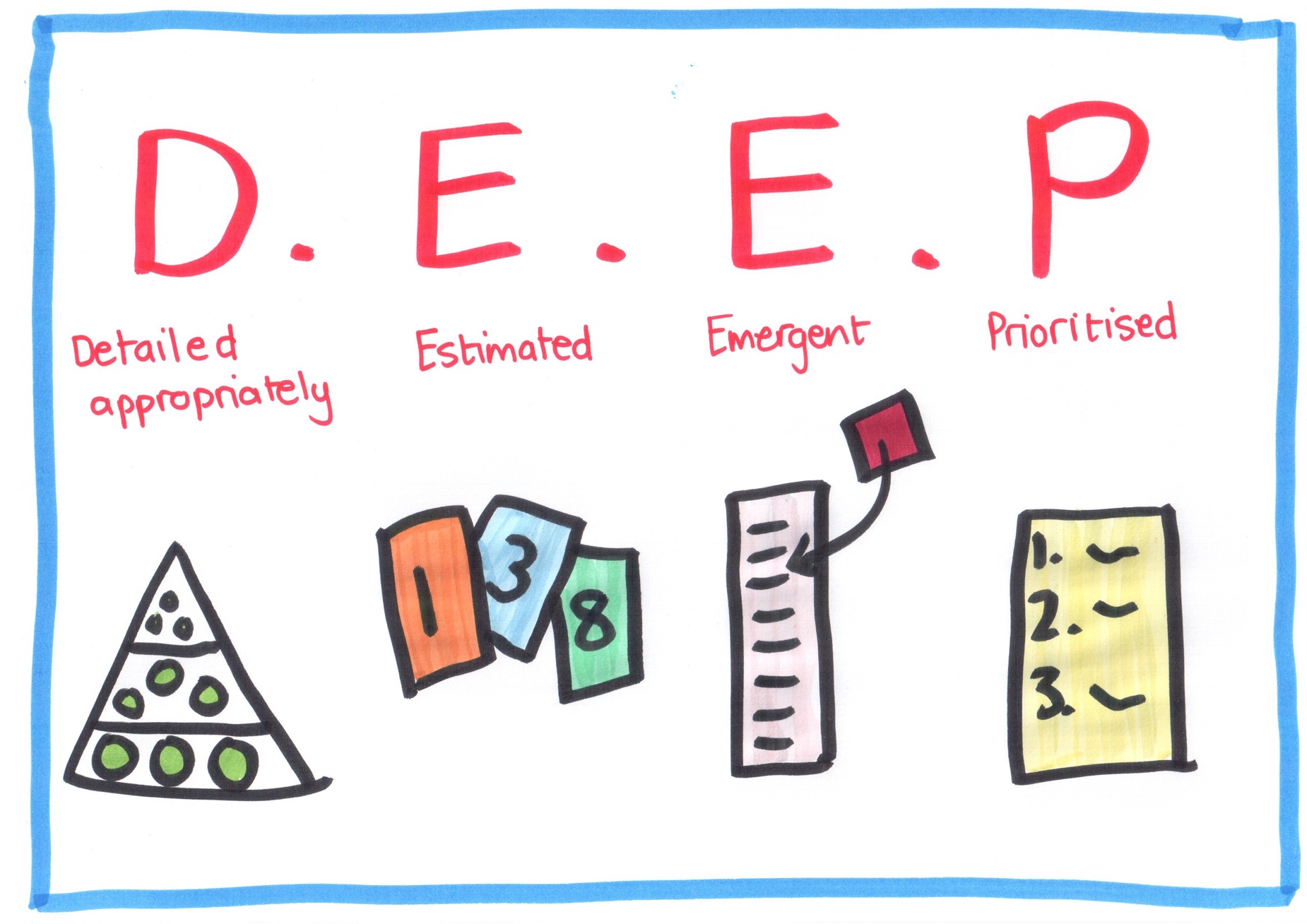
A good acronym for the Product Backlog is DEEP. These are characteristics of a good Product Backlog. DEEP stands for: Detailed appropriately, Estimated, Emergent and Prioritised.
Detailed Appropriately - Items at the top of the iceberg should have lots of detail, where as items in the epic level, should have very little detail. Just a few words is sufficient. Having too much detail on a PBI that won’t be built for several months it usually waste, since requirements are likely to have changed by the time the item gets built.
Estimated - This means that all items on the backlog should be estimated by the team that will build them. The units for estimation can be anything, our preference is for a relative unit like story points. Often people think only the items coming up in the next few sprints need to be estimated, but if the Product Owner wants to have a release plan or roadmap, we recommend estimating items on all levels of the backlog.
Emergent - The Product Backlog should change over time. New requirements emerge as more is understood about the product. This is okay. Often people are used to words like scope creep and change requests. We remind them that in agile change is welcomed, and expected.
Prioritised - An important characteristic of the backlog is that it is prioritised, usually by business value. Items at the top are the most important. Something people often misunderstand is that the backlog is a single ordered list. That means there are not 100 items that are High Priority, rather items each have a unique priority order.
Slides
Drawing (C3)
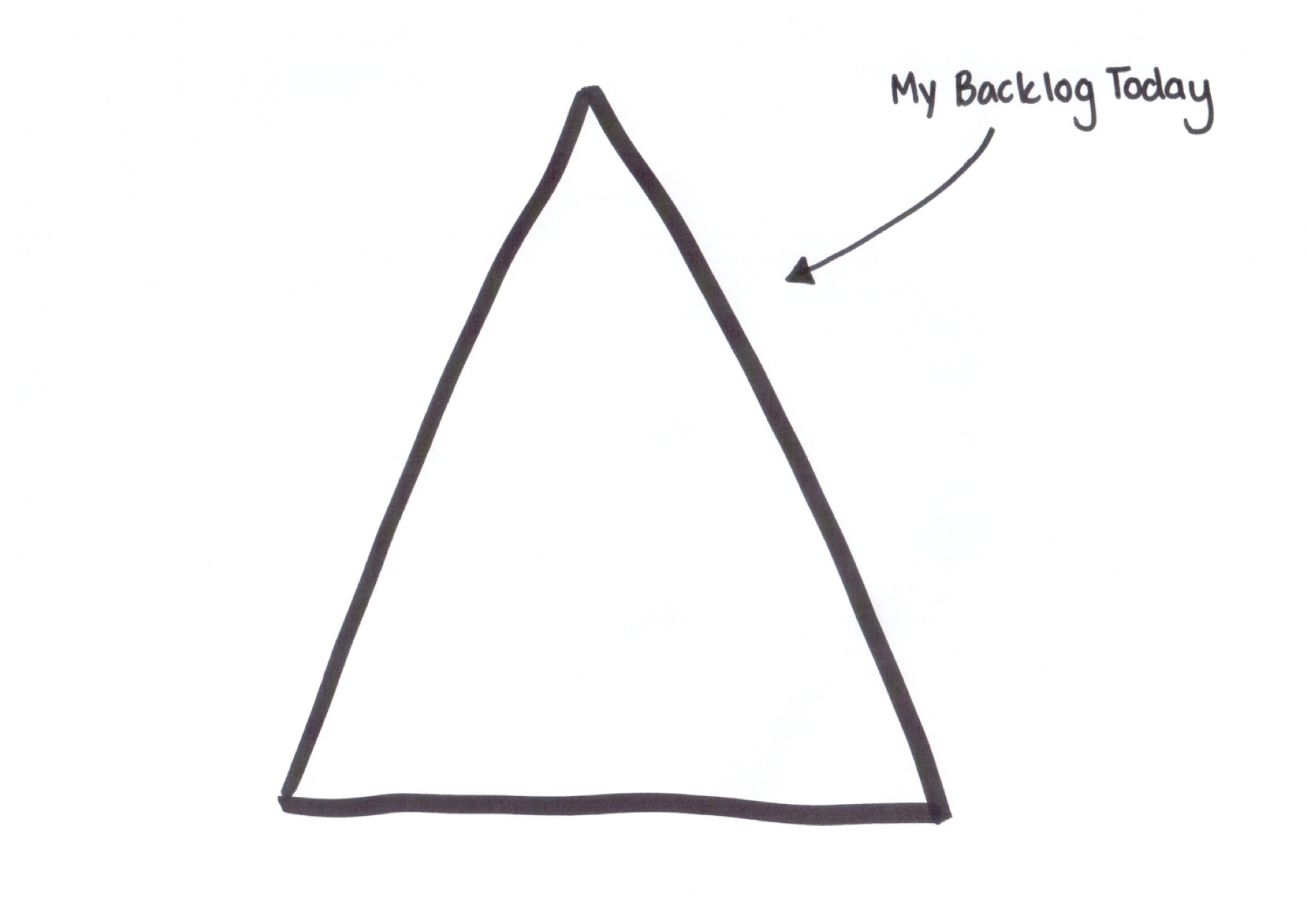
Give everyone a copy of the Iceberg Handout. You can also just ask people to draw this, if you don’t have enough copies. Ask each person to visualise using big and small circles their current backlog. Assist them by asking questions like: Does it only have small stories? Does it have a few small stories and then hundreds of large epics?
Write (C4)
Ask everyone to write down one thing they want to change about their backlog.
It might seem trivial to write this down but it’s a good way to help people remember this, and it helps engage a different part of the brain to the one that has been listening to you teaching.