Lean Publishing Tip of the Day: Introducing Leanpub Reviews
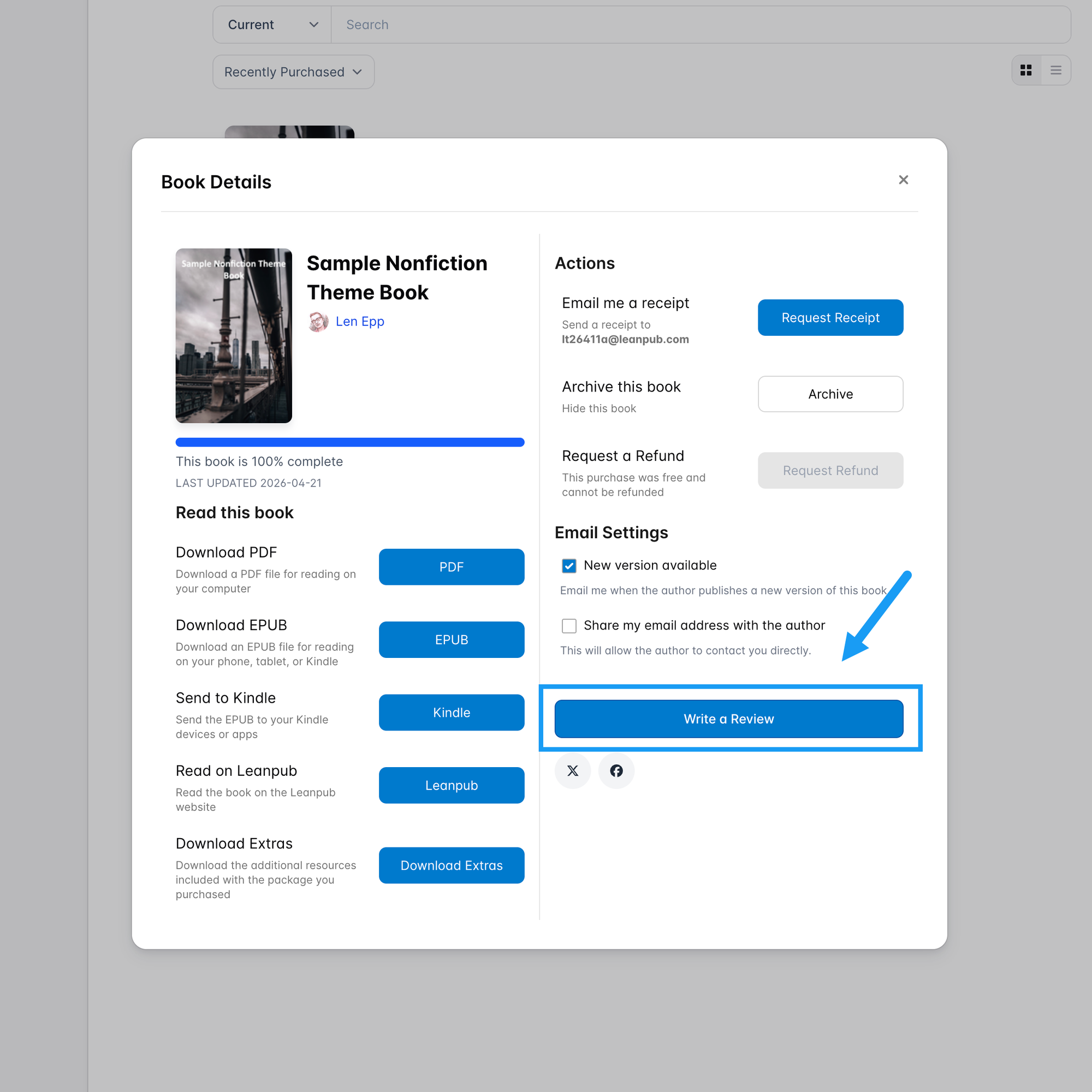
Anyone who buys a book or course on Leanpub can write a reviews of if, right from their Leanpub library.

Leanpub readers can now write reviews!
How To Write Reviews
Anyone who buys a book or course on Leanpub can write a reviews of if, right from their Leanpub library:
Where You Can Find Reviews
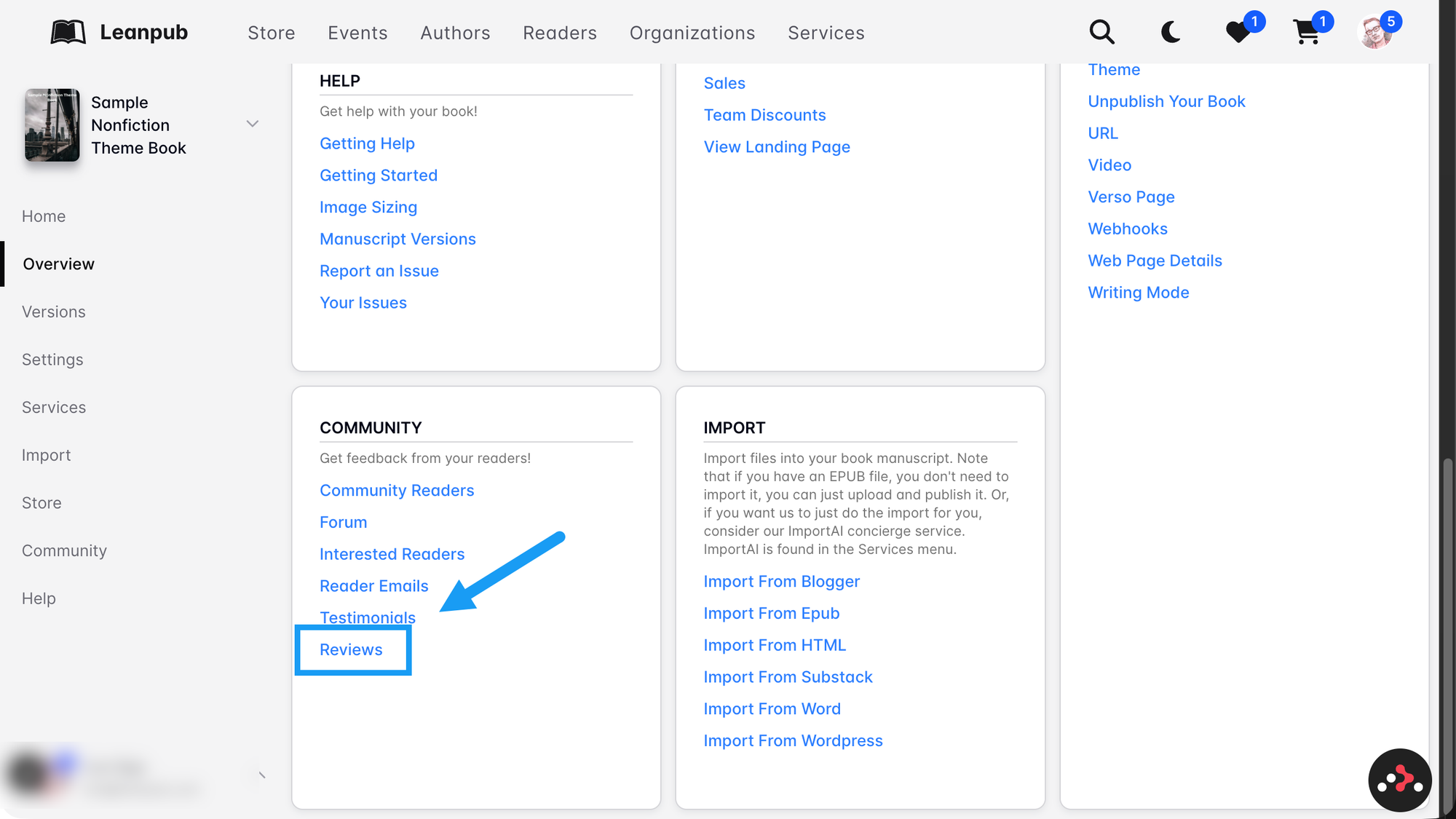
You can find reviews on your book or course's Review page, which is accessible from its Overview page:
What Happens To Reviews?
As an author, you can choose to have a review appear on your book or course's landing page.
You choose whether any reviews are displayed, and which reviews are displayed.
As a reader, if you have a Reader Membership, you can choose to have your reviews displayed on your public profile page.
How Does This Work With Different Versions Of A Book?
Basically, each review is of a "Public" version of a book or course.
A version is "Public" if you publish it with "Release Notes".
When you publish a new Public version of a book or course, anyone who reviewed it in the past, can write a new review.
I Want To See How It Works!
To see how this works, watch the livestream for this Lean Publishing Tip of the Day!
This is an initial demo; we'll probably publish something more polished in the future.
Learn More
Read the Leanpub Author Update Newsletter for more details on reviews.
Clips From The Livestream