Introduction
Creating beautiful web applications when you are not a designer could be challenging. That is why frontend frameworks like Bootstrap and Foundation are so popular today. Responsive and user-friendly web design requires a lot of work and often we as developers are just too busy building the backends and don’t have the time or necessary skills to create great web design from scratch.
The field of web development moves very quickly, no doubt about that. Technologies for both the frontend and the backend have progressed a lot in the past two/three years. At the same time there are many web developers who are generously dedicating their energy and time to move the web development industry forward by releasing multitude of open source frameworks, plugins and tools. Thanks to them there are now plenty of good solutions to common web development problems.
This book will introduce you to some of the greatest open source front end components that will greatly improve usability of your applications. Some of the components discussed in the book are:
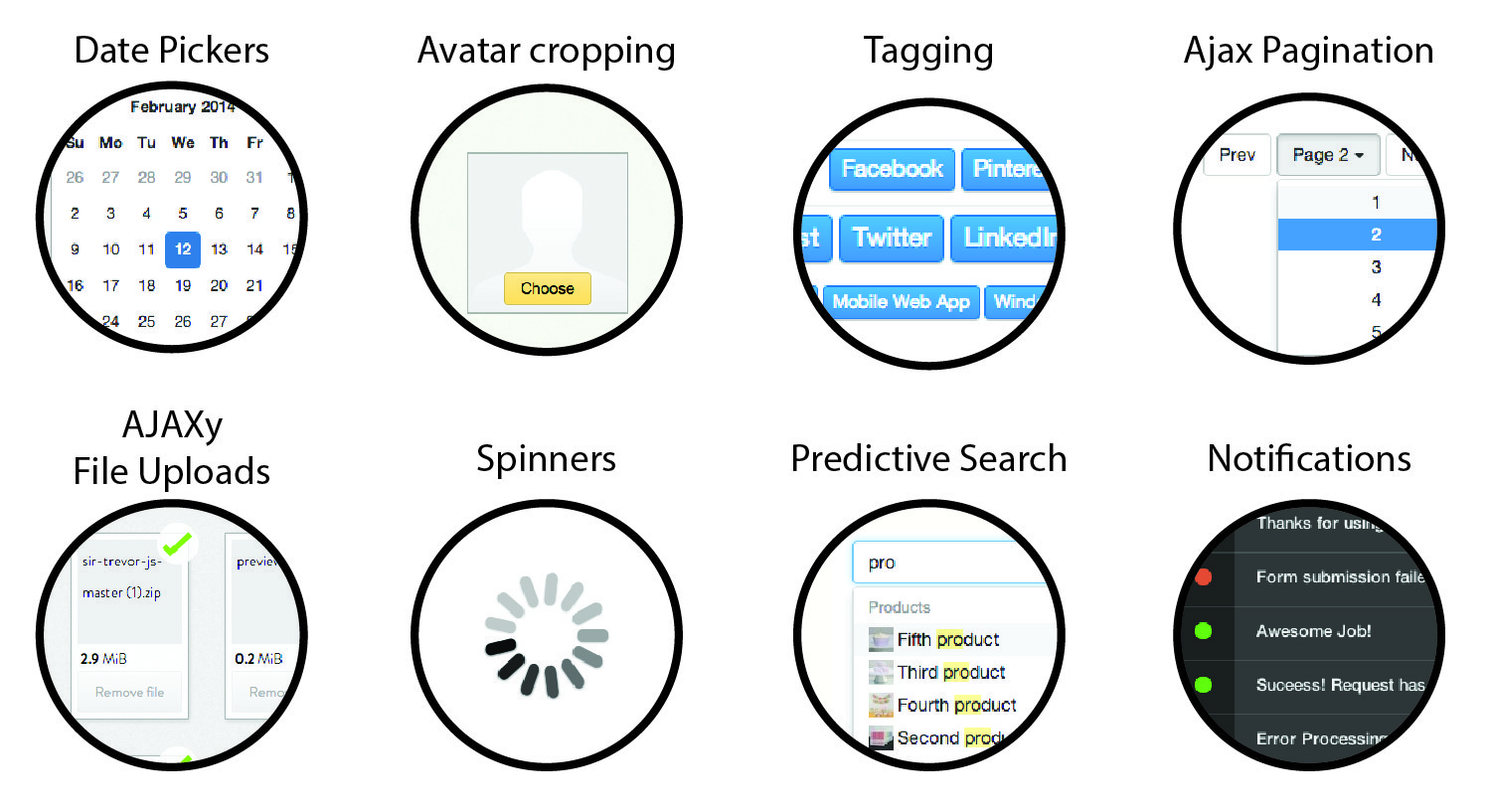
Components discussed in this book
About the author
My name is Maksim Surguy. I am a full time web developer, part time writer and former breakdancer. If you use Laravel PHP framework or Bootstrap, you might have seen some of the things I created:
I love creating new products and in the process I try to share as much as I possibly can. You can read free web development tutorials on my blog at http://maxoffsky.com and you can follow me on Twitter for various web development tips and tricks at http://twitter.com/msurguy
Prerequisites
- Knowing what HTML/JS/CSS terms mean and knowing some basics about them
- Having experience of building at least one web application of any size
- Willingness to learn and be challenged
Conventions for the terms used in the book
This books uses terms “front end” and “back end” extensively. In the context of this book they have the following meaning:
- The term “Front end” usually talks about client’s browser or HTML/CSS/JS that the browser operates with.
- The term “Back end” talks about a web application that resides on a server and potentially works with a database. The web application could be anything that processes and responds to HTTP requests, for example applications using the following technologies/languages could be called “back end”: Node, PHP, Java, Ruby, Python, .NET, etc.
Back end framework of choice for the examples in the book
While a lot of the content in this book could be adapted to applications using any backend framework, all server-side examples in this book will be done using Laravel framework. Laravel is a modern PHP full stack framework that allows you to build web applications using PHP quickly and efficiently. Some key assumptions about the server side code in this book:
- The server-side example in this book assume that you already know how to use an MVC framework or similar. You are familiar with the framework’s syntax, routing, ORM and a backend template engine (like Blade in Laravel or Mustache in JS frameworks). If you are not familiar with those concepts I highly encourage you to get up to speed on those topics.
- The tone of this book is geared towards developers that have built at least one application with a backend framework already. If you feel like you are not there yet, don’t get discouraged and try codecademy or a similar resource.
- The provided back end code examples in this book assume that you know how to create and populate a database (for example through UI-based tool like PHPMyAdmin or Sequel PRO).
|
PHP Version used in this book for working examplesThe PHP version used in this book is 5.4 with Composer installed. |
Let’s go over some back end conventions that this book is using.
Conventions used in the book for back end code
Scripts and Styles
In the server side examples where there is more than one front end library used, Javascript and Stylesheets of third-party libraries will be put in ‘public/js/vendor’ and ‘public/css/vendor’ folders respectively. Then the scripts and styles will be inserted into the view templates using the syntax in code listings below:
Using HTML::script helper to link to JS file in Laravel
1 // Generate a tag for javascript inside a Blade file
2 {{ HTML::script('js/vendor/script.js') }}
3
4 // Results in:
5 <script src="http://localhost:8000/js/vendor/script.js"></script>
Using HTML::style helper to link to CSS file in Laravel
1 // Generate a tag for javascript inside a Blade file
2 {{ HTML::style('css/vendor/style.css') }}
3
4 // Results in:
5 <link media="all" type="text/css"
6 	rel="stylesheet" href="http://localhost:8000/css/vendor/style.css">
Design patterns and purpose of the book
While there are many great design patterns in existence for back end application architecture, this book will try to remain unbiased and provide the functionality without pushing any specific back end best-practices. This way you can adapt the functionality to your projects using whatever design pattern you prefer.
Also, there will be no Unit Tests provided because that is a topic for a separate book and there is at least one already about that: Laravel Testing Decoded by Jeffrey Way.
The purpose of this book is to expose you to some of the greatest front end components, explain how they work and provide you with easy to understand guides on integrating these libraries with your web applications. Enjoy the journey and prepare to make some cool-looking, jaw-dropping, award-winning web applications!
Source Code
The source code for this book is available for each chapter and is located on Github at https://github.com/msurguy/frontend-book. Feel free to explore it, comment on it and improve it on Github.