Chapter 5: Modeling the Engine
We’re going to make parts to fit onto the model rocket engine. So that means we’re going to have to make a 3D model of it. It doesn’t need to be very detailed, since we’re not going to be printing it, but it has to be the right size.
Measuring the engine
We can use calipers to measure the engine. We’ll be using an A8-3 engine. The diameter is 17.5mm and it’s 70mm long. We can model it as a cylinder.
Modeling the engine
Let’s start by opening OpenSCAD and starting in the editor. Write the following code
in the editor and save the file under /src/buri.scad
Once you’ve saved the file, you can see it render in the model side. You should see a cylinder.
1 // buri.scad
2
3 engine_radius = 17.5 / 2;
4 engine_height = 70;
5
6 // the engine
7 cylinder(engine_height, engine_radius, engine_radius);
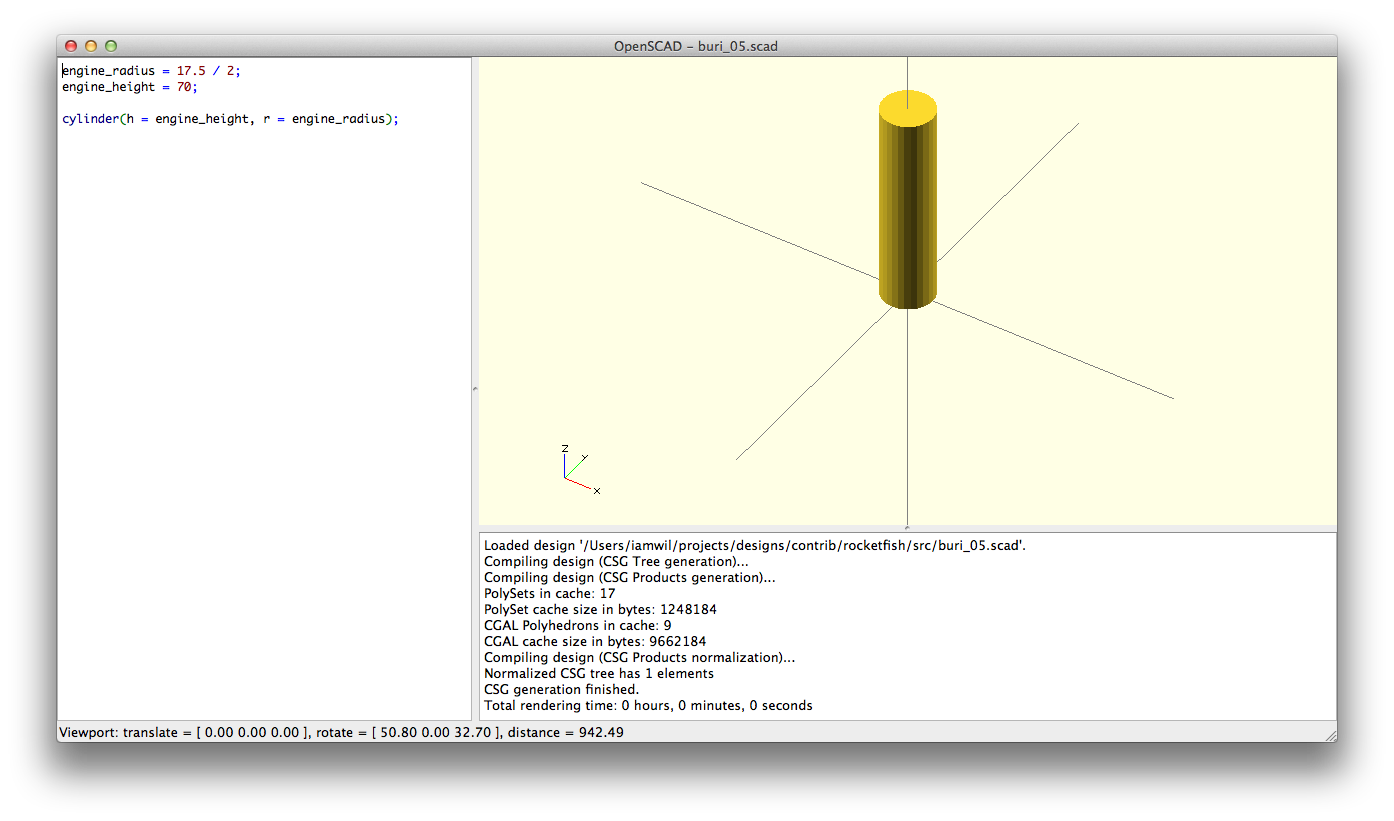
engine
We model the engine as a cylinder. The first parameter is the height of the cylinder. The next parameter is the radius of the cylinder at the bottom. The last is the parameter of the radius at the top of the cylinder.
And that’s it! It’s pretty easy to make the model of the engine.
So for now, we’ll comment out the engine, so it doesn’t show when we create the nose
cone. To comment something out, we put // in front of a line. That way, it
doesn’t get executed, and is treated as a note or annotation in the code.
1 // the engine
2 //cylinder(engine_height, engine_radius, engine_radius);
Summary
- We learned how to make a cylinder with variables
- We learned how to comment out a cylinder
Full Source
1 // buri.scad
2
3 engine_radius = 17.5 / 2;
4 engine_height = 70;
5
6 // the engine
7 //cylinder(engine_height, engine_radius, engine_radius);</b>