Operational Excellence
https://leanpub.com/building-serverless-apps-with-wasm-and-spinStructured Logging
https://leanpub.com/building-serverless-apps-with-wasm-and-spinWhere Spin Sends Component Output
https://leanpub.com/building-serverless-apps-with-wasm-and-spinWhy Plain Text Stops Scaling
https://leanpub.com/building-serverless-apps-with-wasm-and-spinAdding Structured Logging to task-api
https://leanpub.com/building-serverless-apps-with-wasm-and-spinControlling Log Levels and Output Format
https://leanpub.com/building-serverless-apps-with-wasm-and-spinContinuous Integration with GitHub Actions
Improving the Task-Engine means we should have some sort of gatekeeper. A system that verifies that recent code changes are syntactically correct by recompiling the entire application in a clean environment (a machine other than your local development environment), and that means Continuous Integration (or CI for short).
For a Spin app, the CI job is always the same shape: install the language toolchains your components need, install Spin, and run spin build. Writing that YAML by hand is tedious and easy to get subtly wrong: a forgotten Wasm target, a pinned Spin version that drifts from your machine, or a toolchain step for a language you don’t even use.
Although I faked the commits for the following screenshot, I bet you’ve been there, or at least stumbled upon a list of commits like this:
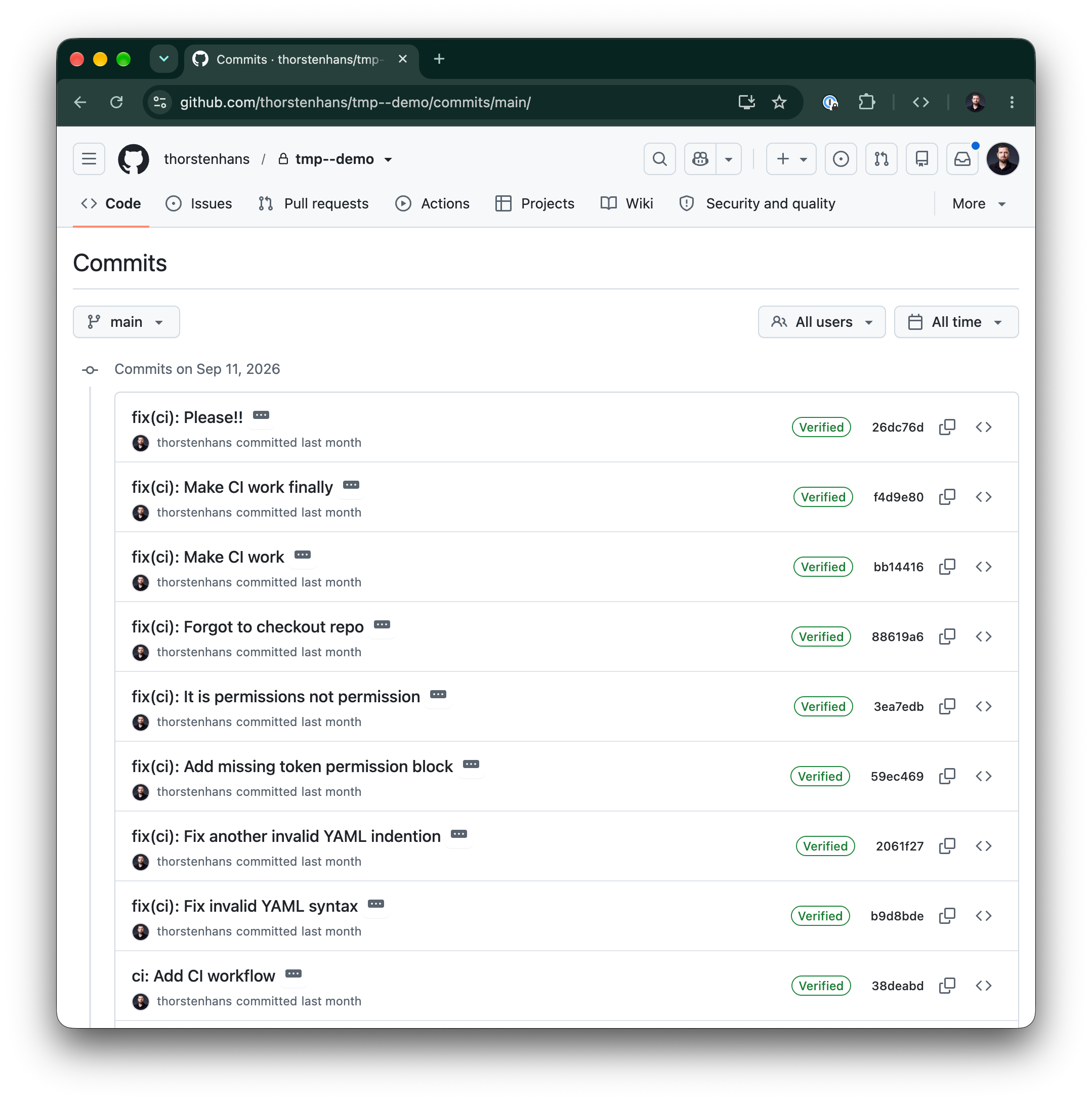
I don’t want to send you down a similar route. Instead, I want to give you the tool that makes generating these rather complex GitHub Actions workflow files a breeze. The gh plugin for Spin is exactly that tool. It can inspect the components of Spin applications and generate a tailored, ready-to-commit GitHub Actions workflow for you (optionally with continuous-deployment steps, which we’ll address in the following chapters as well).
Installing the Plugin
Plugins come from Spin’s plugin catalog. Refresh your local copy of the catalog, then install gh:
# Update Spin plugin catalog
spin plugins update

# Install the gh plugin for Spin
spin plugins install gh --yes
That’s it — spin gh is now a first-class subcommand.
How spin gh Works
Point spin gh at a folder, and it recursively scans that folder and every subfolder, detecting all the Spin apps it finds and every component inside them, across Rust, Go, JavaScript, TypeScript, and Python. From that inventory, it generates a GitHub Actions workflow that:
- Checks out the actual code
- Installs the required language toolchain for each component it finds (and only those)
- Installs Spin
- Runs
spin buildfor each Spin application discovered
Two subcommands do the work:
create-action- Generates the GitHub Actions workflow file.eject- Renders the plugin’s default template to disk so you can customize it.
Generating a Workflow
For generating a new GitHub Action workflow file, we will use the create-action command. It has a lot of flags, but they group around three core concepts:
GitHub Action customization:
| Flag | Description | Default |
|---|---|---|
ci <branch> |
Run on push to a specific branch | main |
pr <branch> |
Run on PRs targeting a branch | |
cron "<expr>" |
Run on a cron schedule | |
manual |
Add a workflow_dispatch trigger |
|
dry-run |
Print to stdout instead of writing a file |
|
overwrite |
Overwrite if output file exists | |
output |
Workflow file output path | .github/workflows/ci.yaml |
runner-os |
Runner OS | ubuntu-latest |
env |
Custom environment variables | |
template |
Custom template |
Tool & toolchain version management:
| Flag | Description | Default |
|---|---|---|
spin-version |
Pin the Spin Version | latest |
spin-plugin |
Spin plugins that should be installed | |
rust-version |
Pin the Rust Version | 1.98.1 |
rust-target |
Specify Rust compilation targets | wasm32-wasip1 |
go-version |
Pin the Go Version | 1.26.6 |
node-version |
Pin the Node.js Version | 26 |
python-version |
Pin the Python Version | 3.13.0 |
Deployment:
| Flag | Description |
|---|---|
deploy-to-akamai-functions |
Deploy to Akamai Functions |
push-oci-artifacts |
Build & publish OCI artifacts |
sbom |
Generate SBOM for OCI artifacts |
sign |
Sign OCI artifacts |
Let’s generate a workflow for Task-Engine, which should run whenever we push to main. By appending the --dry-run flag, we can review what would be generated instead of the file actually being written to disk:
# Generate the GitHub Action
spin gh create-action \
  --name "CI Task-Engine" \
  --ci main \
  --dry-run
This command will come back in a matter of seconds and show how the full-fledged CI pipeline could look like:
name: "CI Task-Engine"
on:
  push:
    branches:
      - "main"
env:
  RUST_VERSION: "1.98.1"
  RUST_TARGET: "wasm32-wasip2"
jobs:
  spin:
    runs-on: "ubuntu-latest"
    name: Build Spin App
    permissions:
      contents: read
    steps:
      - uses: actions/checkout@v4
      - name: Install Rust
        uses: dtolnay/rust-toolchain@stable
        with:
          toolchain: "${{ env.RUST_VERSION }}"
          targets: "${{ env.RUST_TARGET }}"
      - name: Install Spin
        uses: fermyon/actions/spin/setup@v1
        with:
          github_token: ${{ secrets.GITHUB_TOKEN }}
      - name: Build task-engine
        run: spin build
        working-directory: .
Notice what the plugin worked out on its own: it detected at least one Rust component and added exactly one toolchain step (dtolnay/rust-toolchain with the Wasm target), then an Install Spin step, then spin build.
No installation of Go, Node, or Python, because there’s nothing here that would require these tools. Run the command again, but drop the --dry-run flag, and it will write the exact same content to .github/workflows/ci.yaml.
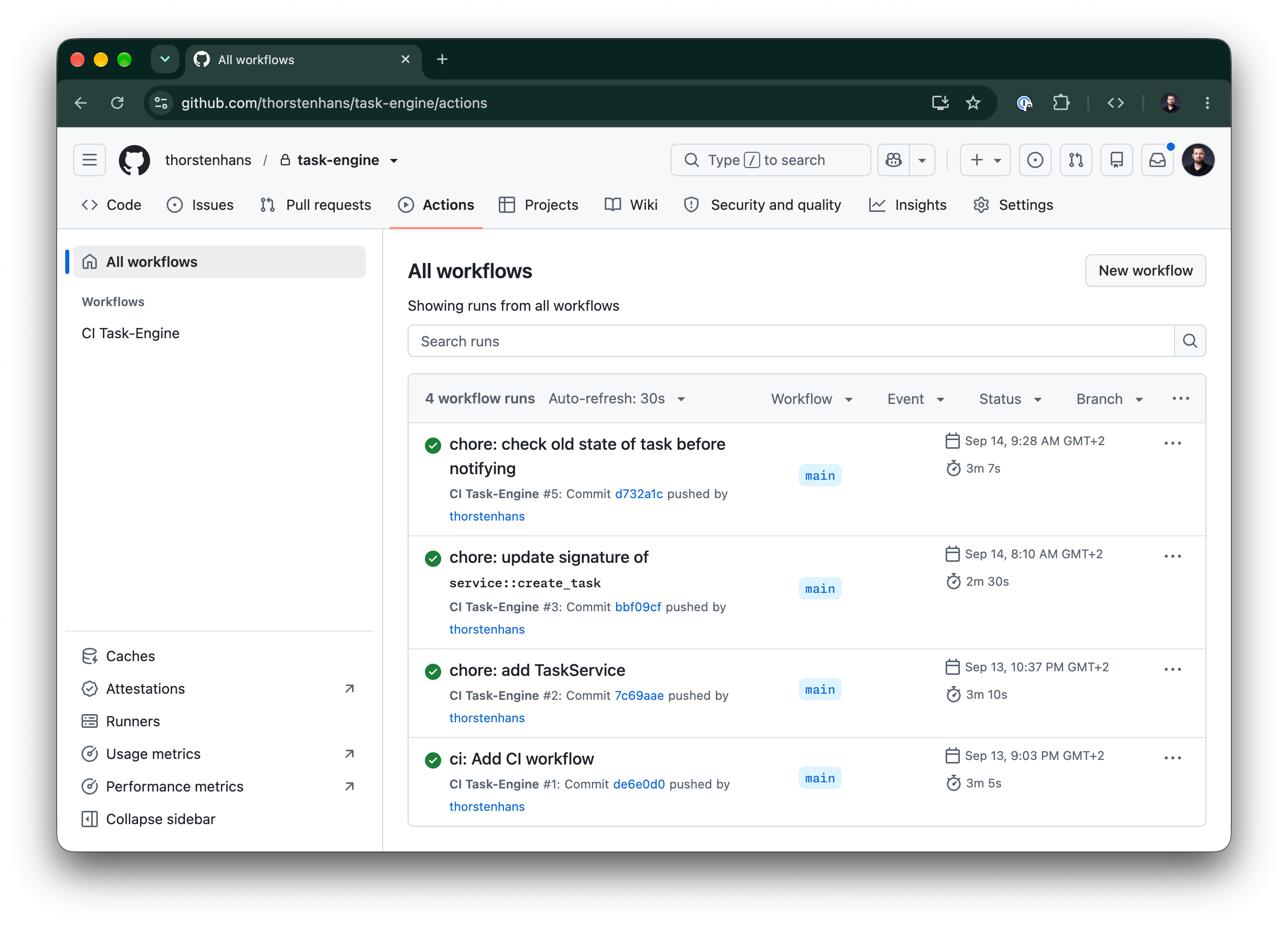
Commit that file, and push to your main branch. A few seconds later, you should see your first successful CI on GitHub:
spin ghThat’s Continuous Integration handled with a single command. Next, we dive into testing!