Leanpub Now Has Dark Mode!
You can now view Leanpub in Dark Mode...

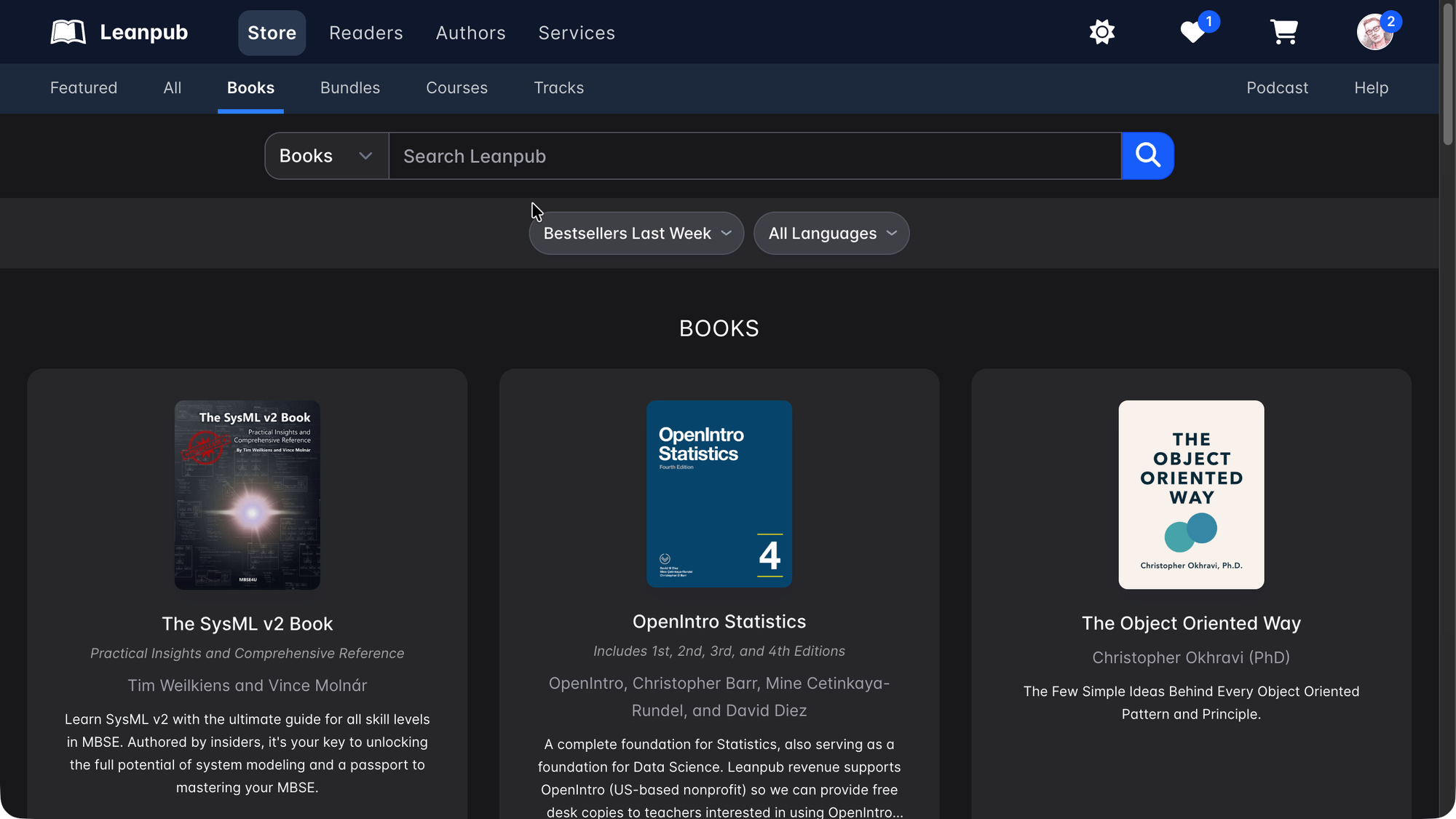
You can now view Leanpub in Dark Mode, like this:
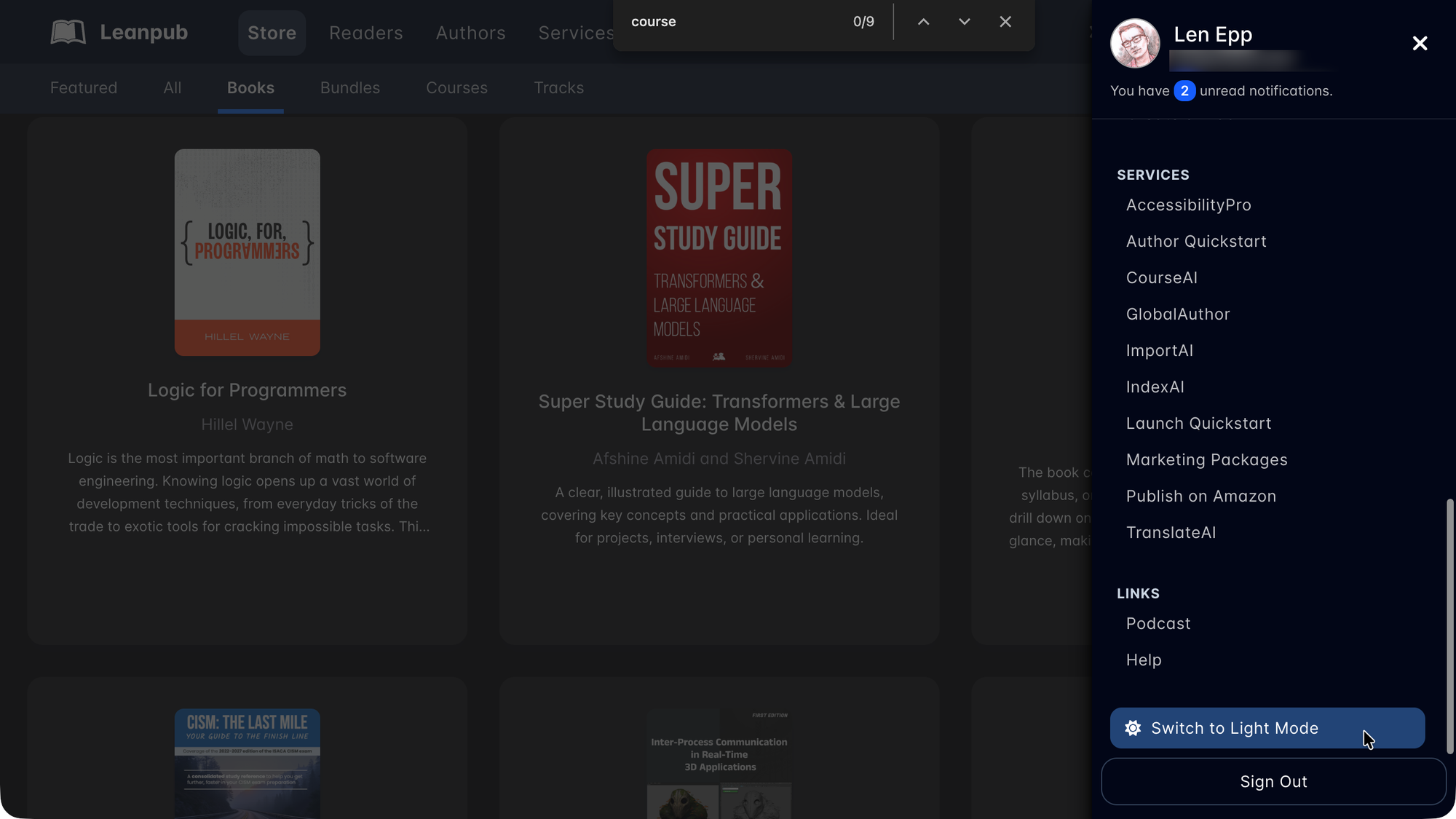
You can switch between Dark Mode and Light Mode by clicking on the avatar menu at the top right, and then scrolling down:
You can also toggle between these modes on your Appearance page in the Account section:
https://leanpub.com/account/appearance
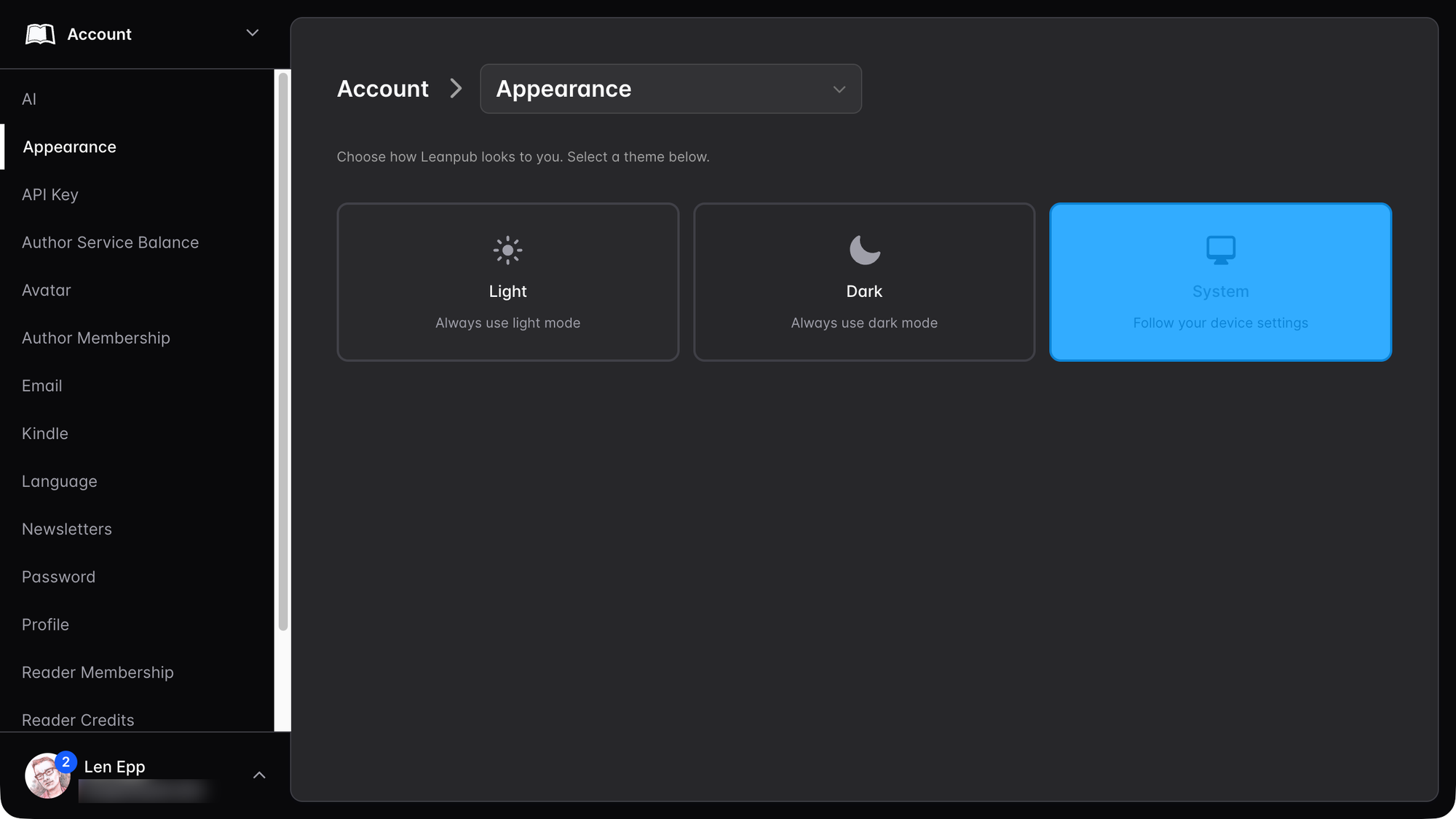
On that page, you can set it to be Light or Dark directly, or you can set it to match your system settings, like in the example above.
Have any feature ideas? @ mention us on social media with your suggestions!