Leanpub Book LAUNCH 🚀 FAT12: Understanding and Implementing the Classic File System in C by Björn Götz
Every file you have ever opened was a handful of bytes on a disk, plus a filesystem that knew where to find them. This book shows you how that works by having you build one yourself. FAT12 is the filesystem DOS started with, and it's the best one to learn on. You can hold the whole thin...

Welcome to the Leanpub Launch video for FAT12: Understanding and Implementing the Classic File System in C by Björn Götz!
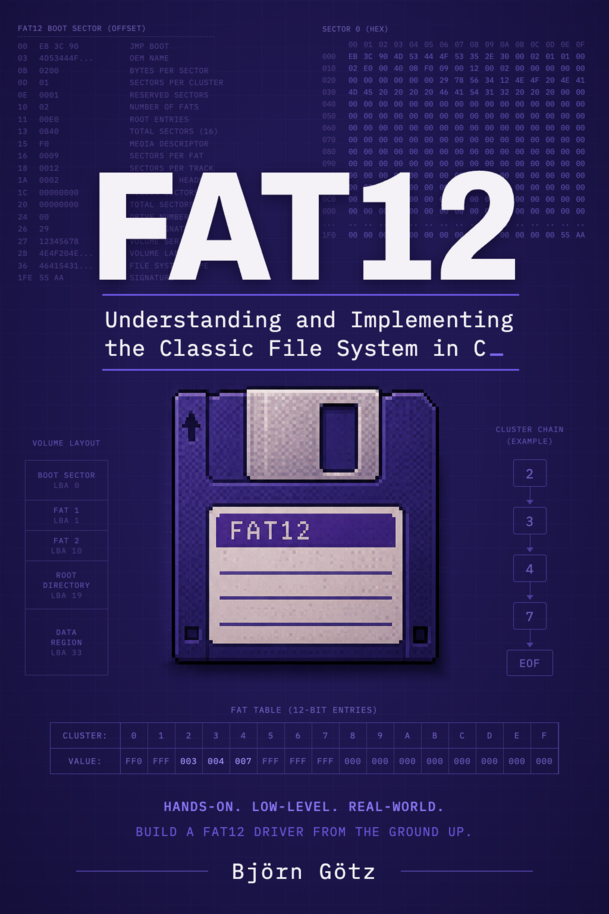
About the Book
Every file you have ever opened was a handful of bytes on a disk, plus a filesystem that knew where to find them. This book shows you how that works by having you build one yourself.
FAT12 is the filesystem DOS started with, and it's the best one to learn on. You can hold the whole thing in your head, and it still runs on real hardware. Over twelve chapters you implement it from scratch in about 1,500 lines of C: reading, writing, creating directories, deleting, moving and formatting. Then comes the payoff. You boot that same code, unchanged, inside your own kernel in QEMU, and watch it format a volume, write a file and read it back. There's no operating system underneath and no filesystem code you didn't write yourself.
Small filesystem, big reach
FAT isn't a museum piece. Almost every PC sold in the last decade boots from a FAT volume, because UEFI requires its system partition to be FAT. USB sticks, SD cards and the floppy images many OSDev tutorials boot from all use it too. FAT12 strips the design down to its essentials: one table that links every file's pieces together, and a root directory at a fixed address. Once you understand FAT12, you already understand most of FAT16 and FAT32.
Prove every byte
You never have to take the code's word for it. You decode every structure from a real volume created by mkfs.fat. Then you hexdump the disk image, trace what your code did and compare the two. Once you start writing, Linux's own FAT driver checks your work, and it has never seen your code. Every chapter ends with code that compiles with zero warnings and a command you run to watch it work.
The part other tutorials skip
FAT12 packs its table entries into 12 bits, so they don't line up with byte boundaries. That's where most tutorials gloss over the details, and where most hand-rolled implementations quietly break. Get it wrong and nothing crashes: you silently overwrite four bits of a neighboring entry, and some other file comes back as garbage weeks later. Chapter 5 takes the packing apart bit by bit until it's obvious. Once you know exactly where those twelve bits belong, you can review any FAT code.
Write it so a crash can't wreck it
Every write touches more than one place on the volume, so the order of those writes decides what a crash can break. Delete a file in the wrong order and an untimely crash leaves two files silently corrupting each other. In the right order, the worst a crash can do is leak a little free space. The book walks through the crash scenarios for each operation, so you see why each write comes first.
What you'll build
- A portable block device layer, so one FAT12 implementation runs on a disk image, a RAM disk and a real ATA drive
- Mounting, directory listing and full path walking through nested subdirectories
- Multi-cluster reads that follow a file's chain through the File Allocation Table
- Writing files, creating directories, deleting and moving, all ordered to limit what a crash can damage
- A formatter that creates a fresh FAT12 volume from nothing
- A bootable Multiboot kernel that runs it all on bare metal
Appendixes add an ATA driver so your kernel writes to a real (emulated) disk, an introduction to long filenames (LFN/VFAT), a tour of the boot sector fields the chapters don't use, and a side-by-side comparison of FAT12, FAT16 and FAT32.
Who this is for
This book is for OSDev hobbyists whose kernel boots and prints to the screen, and who now want it to load files. It's also for anyone who has ever wondered what's actually on a disk. You need solid C (pointers, structs, bitwise operations), and that's it. Everything up to the final chapter runs as a command-line tool on your own machine, so you don't need a kernel to start. The only assembly in the main chapters is a 27-line Multiboot stub.
If you've tried this before, you know the usual material. Wiki articles stop once a file can be read, tutorials switch to assembly halfway through, and the spec gives you formulas without showing how they fit together. This book goes the whole way, from the first sector read to formatting a fresh volume, all in C. The full source for every chapter is on GitHub (github.com/SoftwareFreak1/FAT12), so you can look at the code before you buy. The book is where you learn why each line is there.
Start with the free sample. It covers Chapters 1–4, from the first raw sector read to your own cat command, and stops right where Chapter 5 opens up the File Allocation Table and its 12-bit packing. If those four chapters work for you, the rest of the book will too.
About the Author

I'm Björn Götz, a software developer from a small village in Hesse, Germany. I taught myself to program at twelve, started a three-year software developer apprenticeship at sixteen, and have been building software professionally ever since. Most of that work is backends, plus full-stack web and mobile apps and the cloud infrastructure they run on.
After hours I go the other direction: operating systems, assembly, networking and emulators. I once wrote a CHIP-8 emulator just to see how the magic works.
Watch Clips From The Video