Lean Publishing Tip of the Day: Exploring the Leanpub Manuscript Import Section
On the Overview page for every Leanpub book, you'll see an Import section.

Did you know Leanpub started out as a way to turn blogs into books?
We moved on from that initial stage long ago, but it's still there in our DNA, that you can start with content you made elsewhere, import it into Leanpub, and turn it into a book.
The Import Section of Your Book
On the Overview page for every Leanpub book, you'll see an Import section, like this:
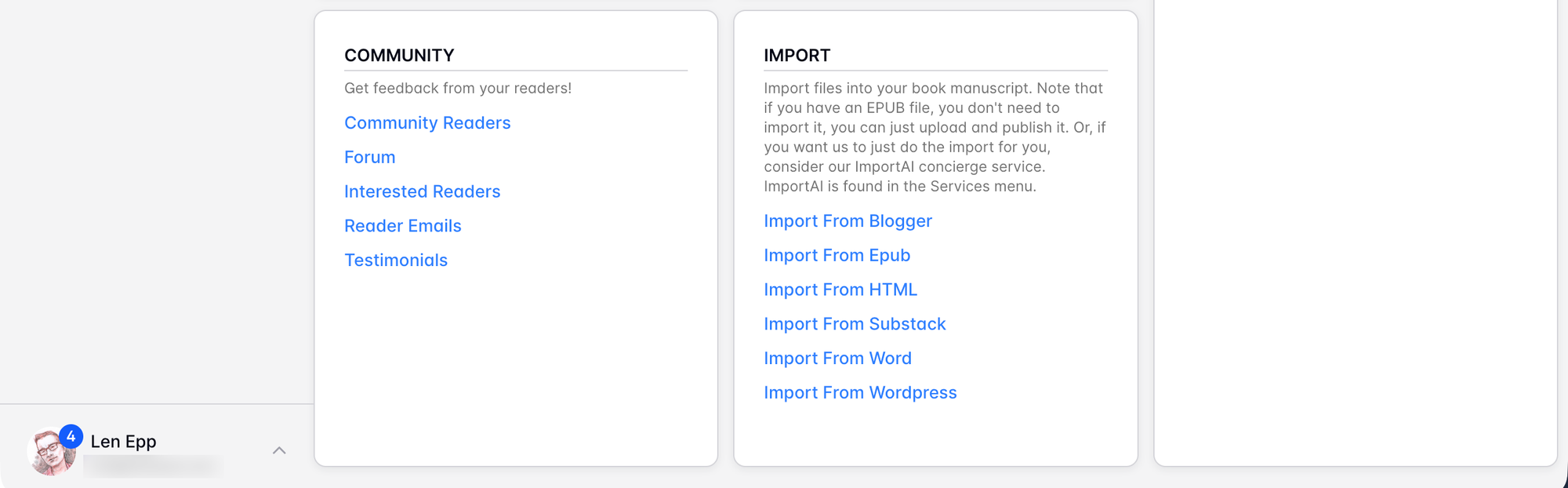
Here, you'll see various import options, which currently include importing from:
- Blogger
- EPUB
- HTML
- Substack
- Word
- WordPress
Importing Plain Text or Markdown
Markua, Leanpub's "Markdown for Books", is close enough to ordinary Markdown that you can get started either by copying and pasting your text into our Browser writing mode editor, use your .txt or .md files in our GitHub or Dropbox writing modes.
You'll have to do some editing and curation, but if you've got an ordinary book manuscript without too much formatting in it yet, the process should be pretty straightforward.
(Most AI services "know" Markua, so you can ask them for help converting from Markdown to Markua on Leanpub.)
Watch the Recorded Livestream to Learn More
Watch the recorded livestream above to learn more about importing your work into Leanpub to get started creating a book.